

OVERVIEW
What should be a quick search isn't.
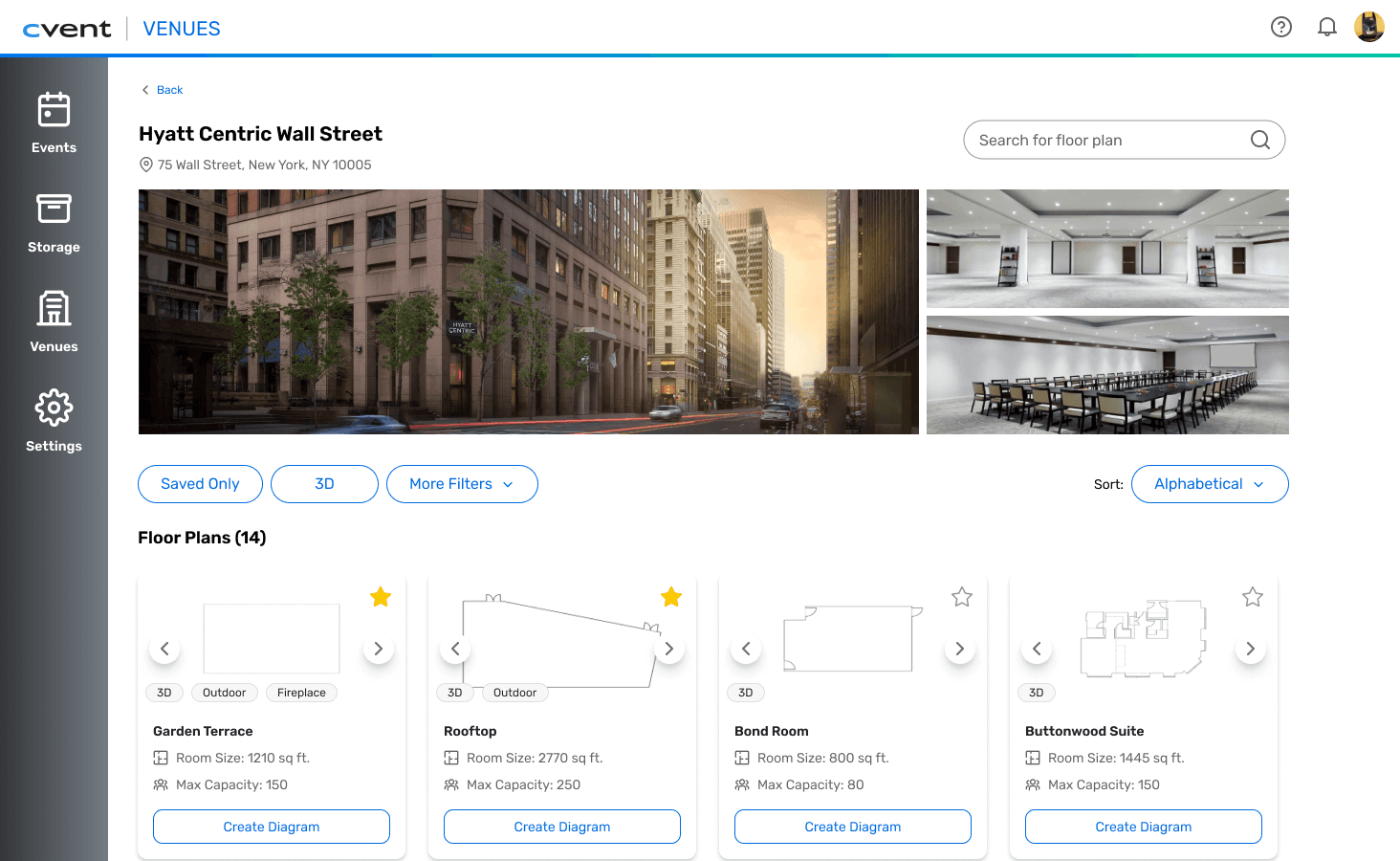
Cvent Event Diagramming (CED) helps event planners visualize and design event layouts. Within it, venue search lets planners find the specific venues and floor plans they've contracted to start building their diagrams. I owned the design process: from research to final UI, identifying usability gaps and redesigning the experience to make finding, filtering, and differentiating venues faster and more intuitive.
THE PROBLEM
Event planners know what they're searching for.
They just can't find it.
DISCOVERY
A flat, scroll-first list of venues and floor plans.
The original flow presented a flat, undifferentiated list of venues with little visual hierarchy, minimal filtering options, and little clear distinction between similar venues and floor plans.
Users were forced to manually scan every result to find what they'd already contracted.

⌙ User Journey: Friction points across the flow
RESEARCH
10 session recordings.
Same three problems.
METHODS & FINDINGS
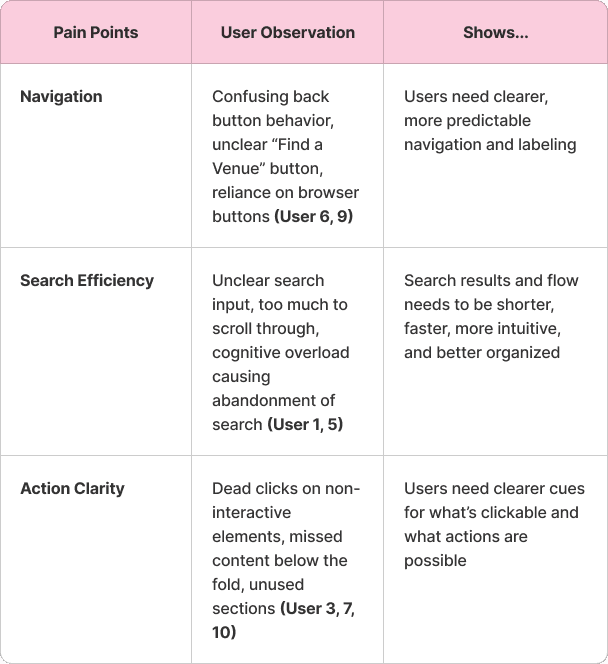
Little hierarchy. No fast path. Unclear next steps. Three distinct ways the flow broke down.

1
Unclear structure made venues hard to scan and compare
Users struggled to orient themselves in a layout that lacked hierarchy or visual anchors, making exploration feel disorganized and empty.
2
Search results didn’t support fast decision-making
Overloaded or unstructured results increased cognitive effort, leading to frustration and early abandonment of the search flow.
3
Actions weren’t immediately clear
Users often couldn’t tell what was clickable or what actions were available, slowing interaction and breaking flow continuity.
10
Datadog sessions
Observed 10 user sessions to understand where and how users were experiencing friction in the flow.
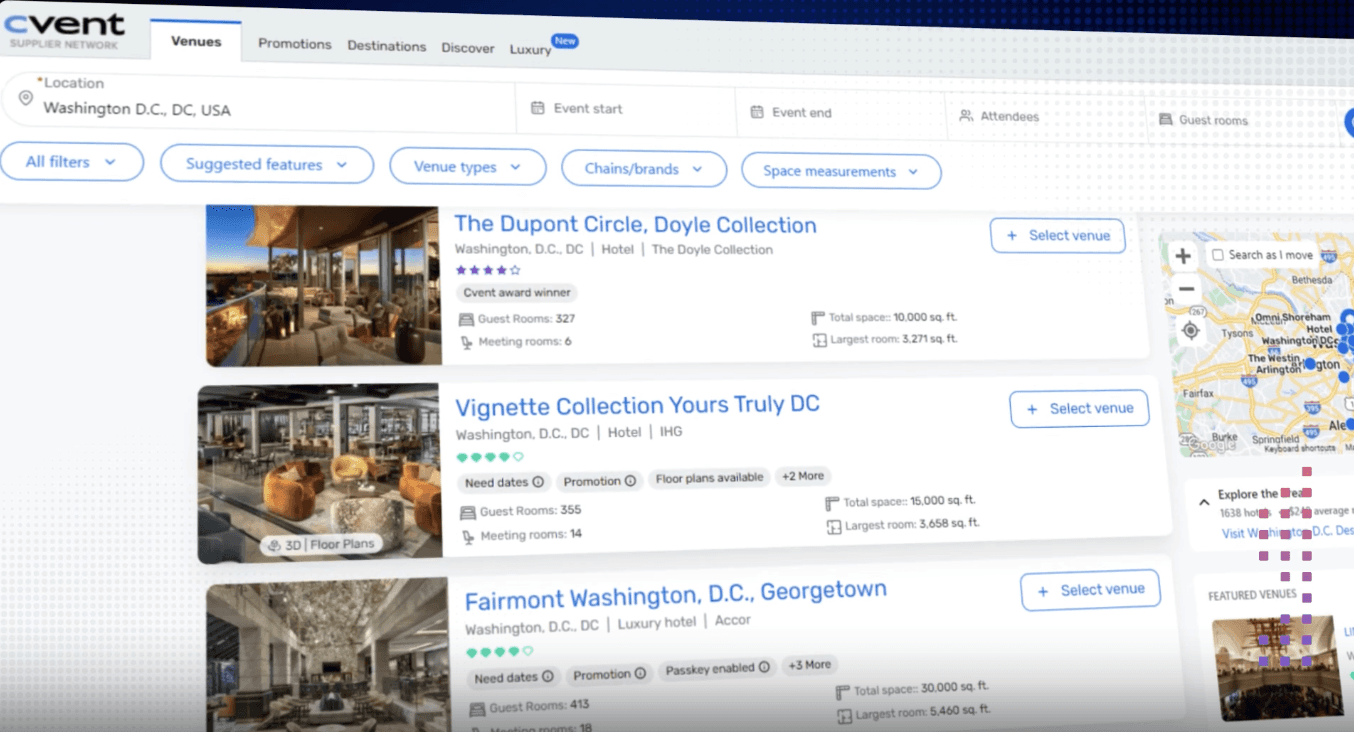
1
Internal audit
Audited Cvent's venue sourcing platform to benchmark what planners might expect before arriving at CED.
Led
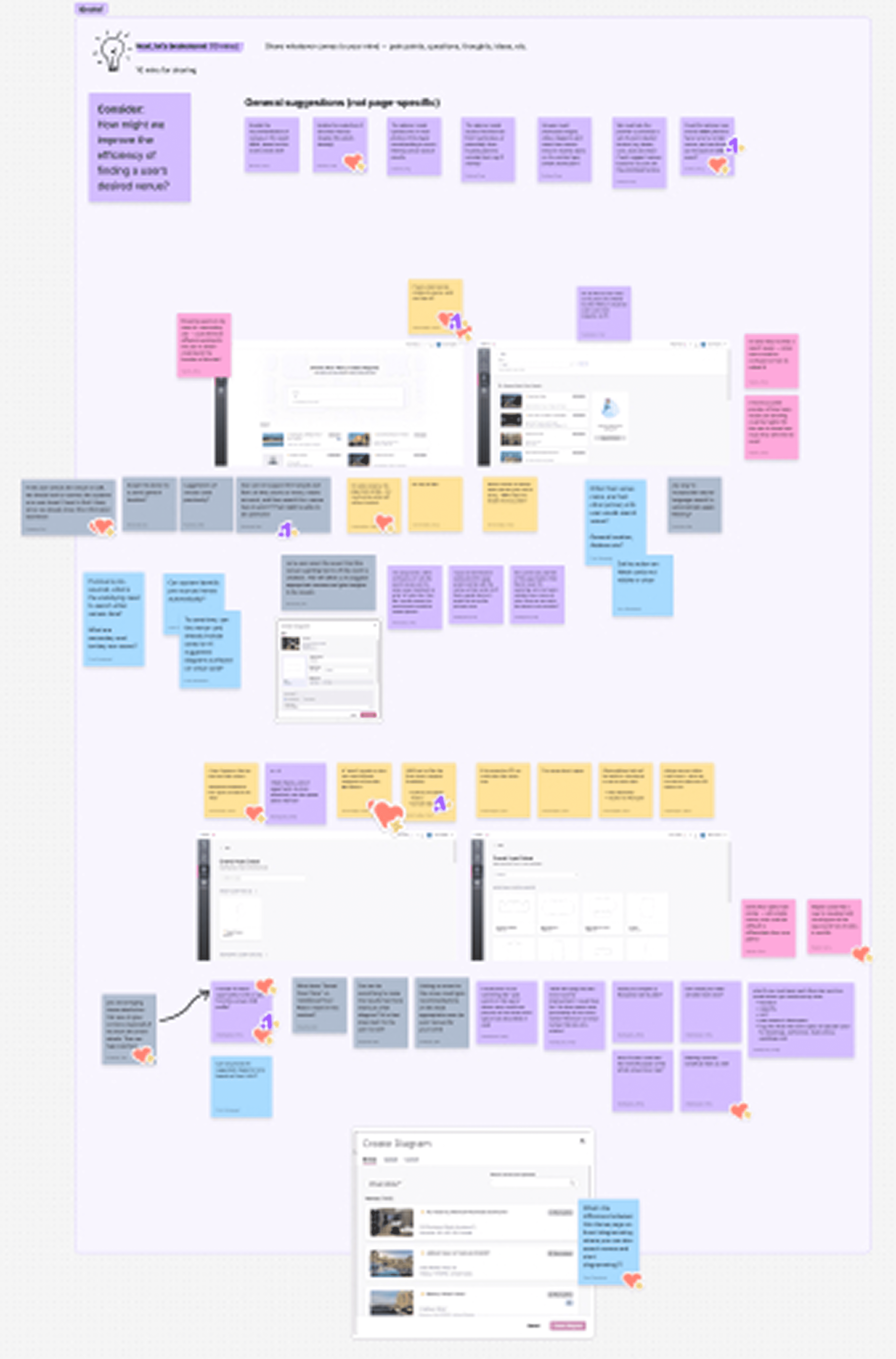
A design workshop
Led a workshop to ideate on gaps and explore preliminary design directions with the product team.
SO I ASKED THE QUESTION:
EXPLORATION
Three decisions that could have gone wrong
— and how I worked through each one.
TRADEOFFS
Shaping the final design
I explored early solutions through sketching and wireframing — and hit some decisions that required iteration.
I started with cross-platform AI personalization, and moved to in-platform AI instead.

Recently contracted venues pulled from cross-platform data for personalization.
Cross-platform data linking introduced technical ambiguity around feasibility.
Pivoted to AI suggested venues using only in-platform user data.
Less ambiguous, more buildable.
Scoped to what is more likely to ship.
Five separate dropdowns collapsed into one. Fewer clicks, same filtering power.
Multiple separate dropdowns for different filters.
Too many clicks, potential cognitive overload.
Consolidated multi-option filters into one dropdown, surfaced binary toggles alongside it.
Fewer clicks, quicker filtering.
Reduced decisions per step without losing filter power.
One section looked like a complete page. Usability testing caught it before delivery.
Saved and unsaved venues in separate sections.
Usability testing with 2 participants revealed users didn't scroll past the first section, assuming the page had ended.
Consolidated into one ranked section with saved venues appearing first.
Hierarchy preserved, below-the-fold problem resolved.
Usability Tested / Caught by 2 participants before final delivery.
Each of these tradeoffs led to my final solution.
FINAL SOLUTION
A search flow that prioritizes relevant results,
boosts scanability, and builds confidence.
WHAT CHANGED
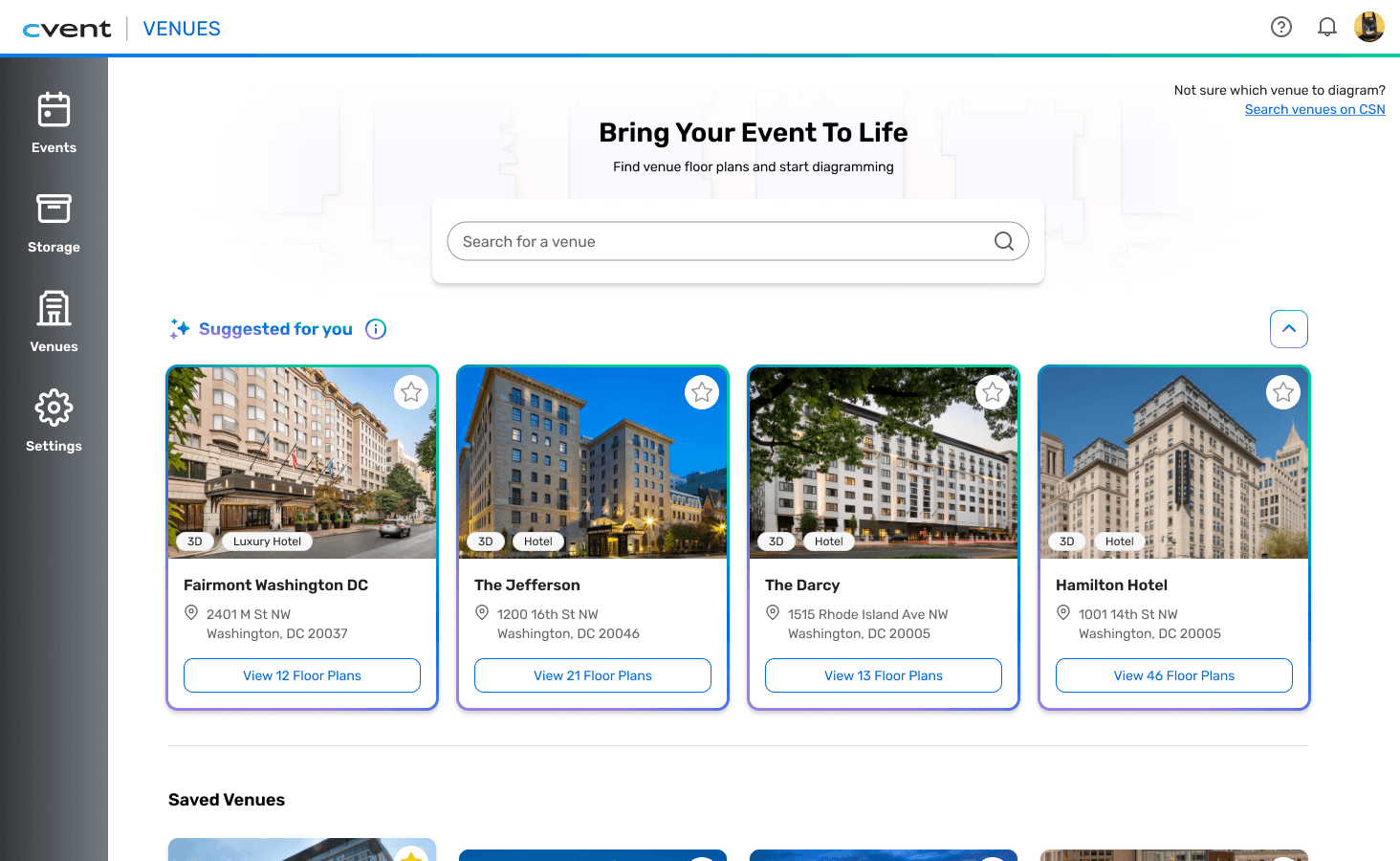
From a list you read to a layout you scan.
NAVIGATION & STRUCTURE
Horizontal layout + clear hierarchy replaced a flat list that gave users no place to start.
Clearer flows between search results, individual venues, and floor plans.
Horizontal layout to support typical scanning patterns.
SEARCH EFFICIENCY
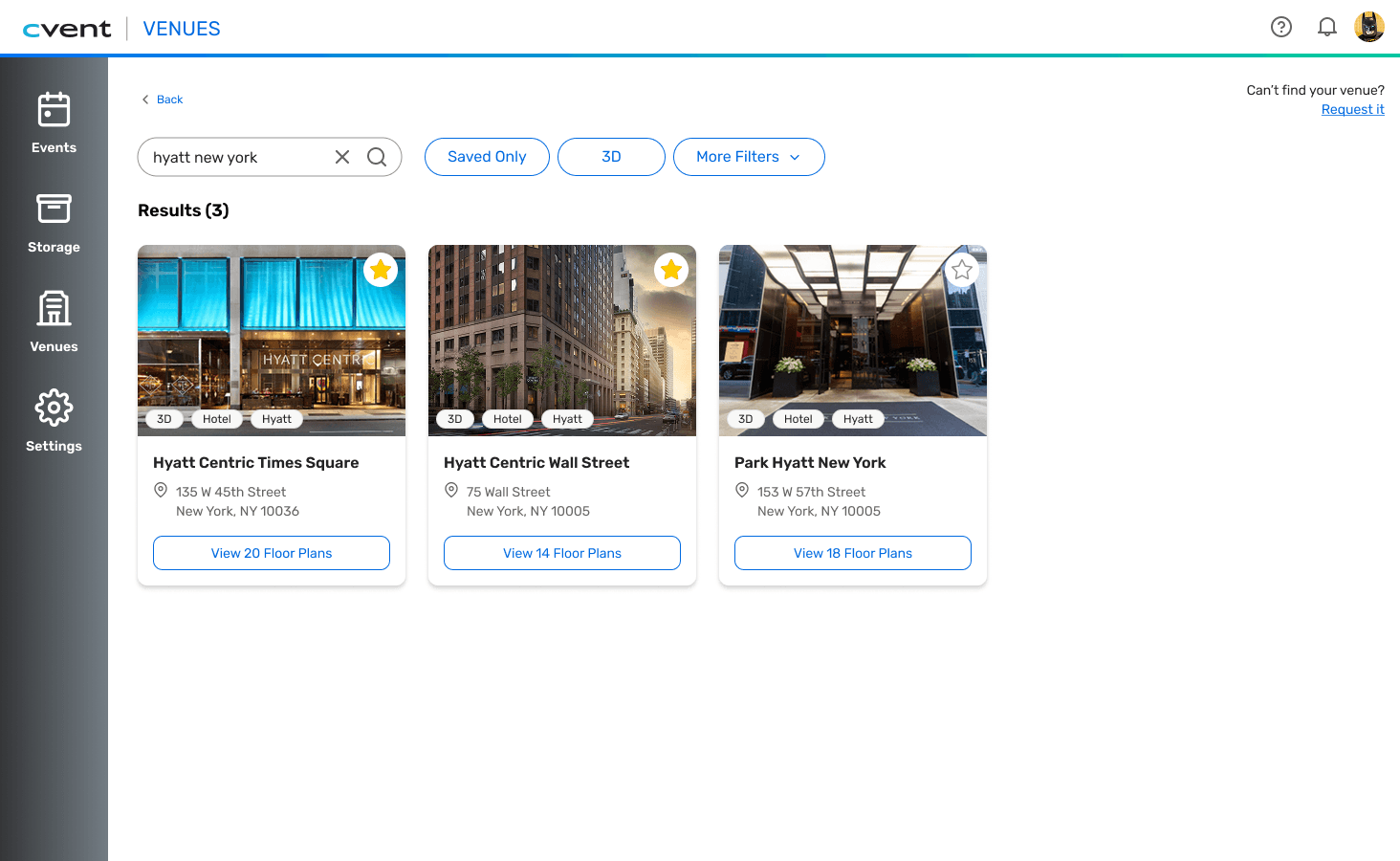
Filters went from one-size-fits-all to targeted — and the algorithm now surfaces what the planner is actually looking for.
Expanded filters for targeted results.
Updated algorithm surfaces the most relevant venues based on user input.
Built using Figma to prototype the full interactive search flow within Cvent's established design system.
View
Create
ACTION CLARITY
Users couldn't tell what was clickable. Now they can — and they have a clear path forward.
Improved visual cues make next steps obvious.
Larger visuals, clear CTAs, gateway to pivot to sourcing platform if needed.

A small moment that reframed the project:
Reducing cognitive load is itself a foundational accessibility consideration — a connection raised by an audience member during my technology department presentation, showing that usability improvements and inclusive design are deeply connected.
WHAT PEOPLE SAID
IMPACT
3 pain points addressed. A layout flaw caught in testing. 10 weeks, end-to-end.
10
Datadog sessions that showed areas where the flow was hurting
3
core pain points resolved across the redesign
2
usability test participants caught a layout issue before final delivery
REFLECTION
The most valuable thing I learned: slow down in the problem space so the solution gets clearer.
Designing within a real product ecosystem
This project taught me how quickly small breakdowns in structure and clarity can turn into real user friction. Every decision I made had to hold up against the broader Cvent product ecosystem, and it forced me to think in systems, not just screens. Through testing and iteration, I learned to prioritize simplicity over adding more features, especially in early-stage flows. The most valuable shift for me was slowing down in the problem space so the solution could become clearer and more intentional.
If this shipped, I'd measure…
search abandonment rate, time-to-venue-selection, and error/backtrack rate. Those are the clearest signals that the redesigned search flow is actually working — or isn't.
Want to hear more?
Contact me! I'd be happy to share :)

Check out my other work!