Promoting Engagement
in Buying Meal Kits
eCommerce App / Dishcovery
TL;DR
The problem
Meal kit apps solve logistics, not desire: limited variety, poor customization, and little reason to come back.
What I did
Synthesized research from 4 interviews, then owned the home page, meal cards, and rewards, the three places users decide whether to return.
The outcome
A mobile concept built for discovery, confidence, and return, where the retention design comes straight from what users told us.
OVERVIEW
A mobile eCommerce concept
for busy people who want to eat well.
Dishcovery gives users access to pre-made, cuisine-diverse meals: without the hassle of cooking or grocery shopping.
What I did
Research & synthesis, plus end-to-end ownership of the three places where users decide whether they want to come back:
Home page
Meal cards
Rewards
THE problem
Meal kits apps solve logistics,
not desire.
Meal prep is time-consuming, but the apps meant to fix it add their own friction.
Existing services feel generic, with limited variety, poor customization, and little to motivate users to keep coming back.
For busy people who want to eat well and explore new cuisines, nothing on the market truly meets them where they are.

Limited variety
Poor customization
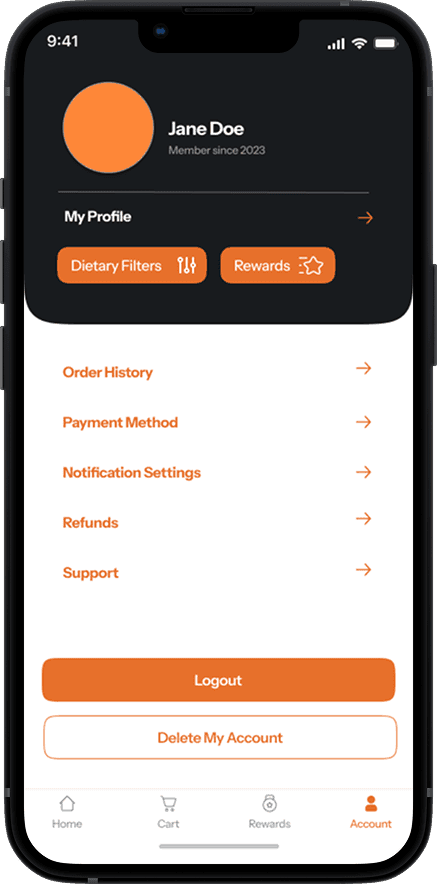
Joined Oct 2024
Last order:
2 years ago
Little motivation to come back
DIS(H)COVERY
Users want convenience
without compromise.
Existing meal kits made dinner easier, but left bigger needs unmet.

Time
Meal prep is a time burden, not a hobby.
Users didn't describe cooking as enjoyable. They described it as something that consumed time they didn't have. They wanted convenience, and they weren't getting it.
Variety
The market is repetitive and culturally narrow.
Participants wanted cuisine diversity and dietary flexibility. Nothing was delivering that at the depth they wanted.
Retention
Nothing motivates continued use.
Users had tried meal kit services and lapsed. The experience felt transactional, as something you use once, not something you look forward to.
How we got there
User interviews
4 interviews to understand meal planning habits, frustrations with existing services, and what would actually motivate someone to stick around.
Competitive analysis
Evaluated existing meal kit services across browsing, filtering, and customization to find the gaps worth designing into.
Persona development
2 personas representing varied lifestyles, preferences, and dietary needs — used to anchor decisions throughout the process.
Information architecture
Mapped end-to-end flows in FigJam — from product catalog to checkout — before a single screen was designed.
EXPLORATION
Turning insights
into solutions.
Three key iterations show how early concepts became stronger solutions.
Meal card information density vs. scannability

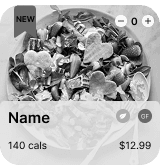
Rich dietary detail on every card — cramped.

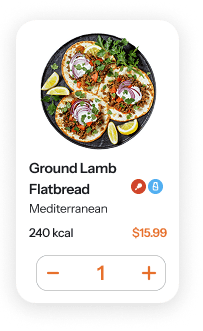
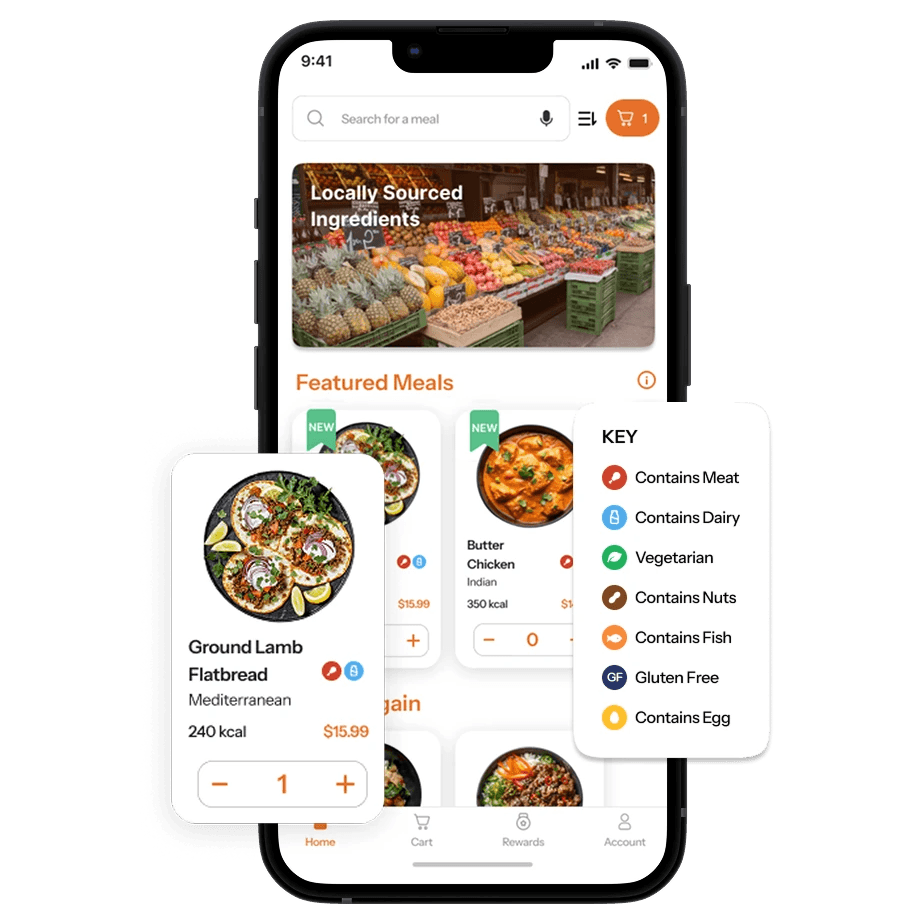
Dietary icons for quick scanning. Deeper detail lives on the meal page. Clear image & white space. Fast decisions, no information loss.
Dietary icons: the learning curve

Icon-only labels. Users had to guess or give up.
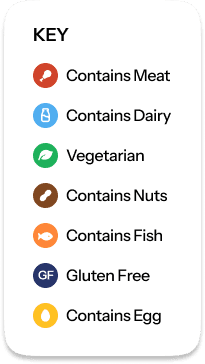
Color + icon as differentiators. An icon key on the homepage does the teaching upfront.
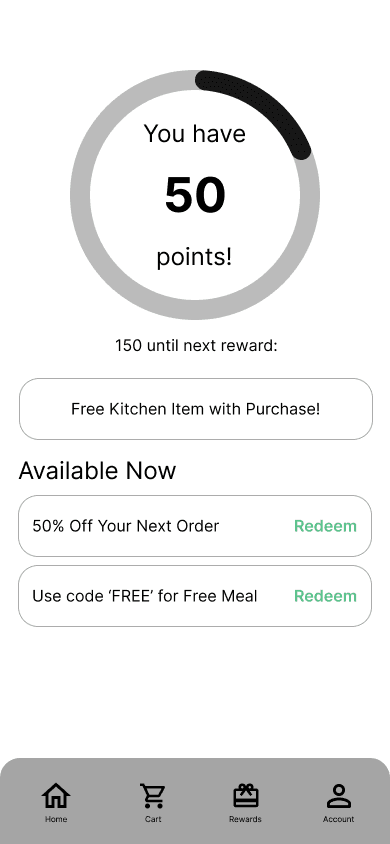
Rewards: list view vs. progress indicator
Static list of perks. No sense of progress, no pull to keep going.
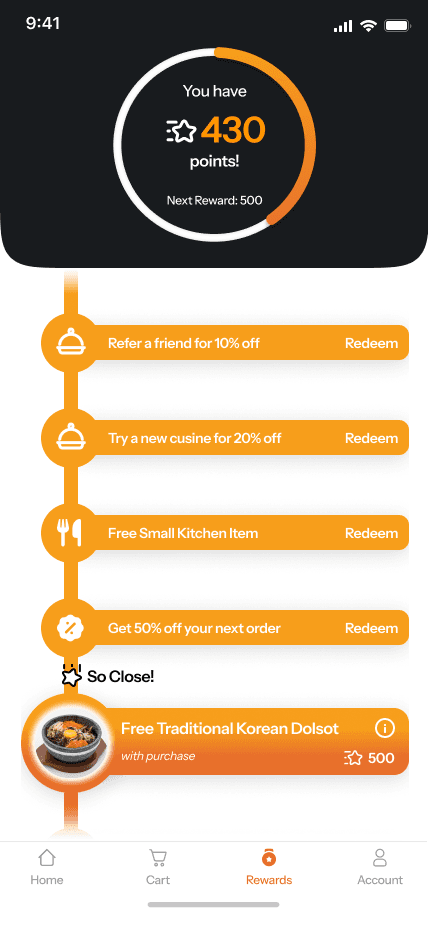
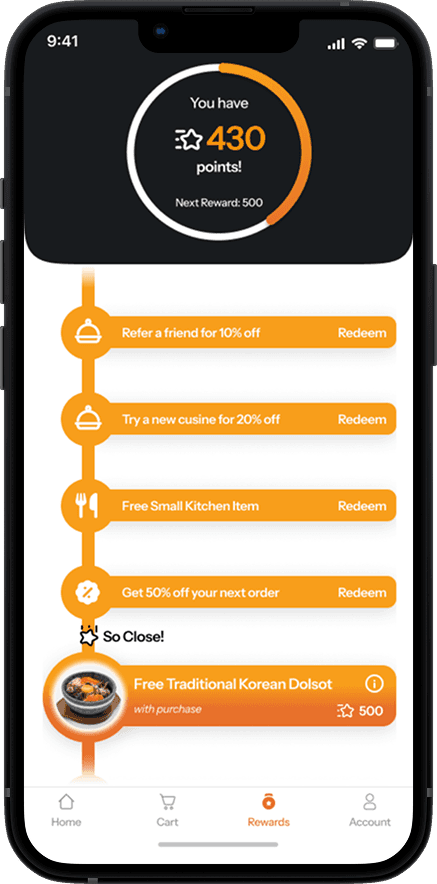
Visual progress bar with milestone markers. Users can feel where they are and what they're working toward.
FINAL SOLUTION
A meal kit experience built for
discovery, confidence, and return.
WHAT I BUILT
DISCOVERY
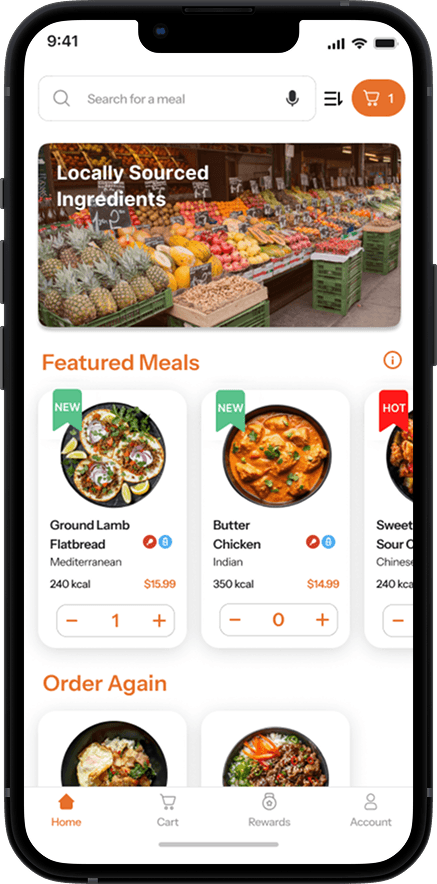
Home page
A moving hero, curated sections like “Order Again,” and an icon key.
The icon key does the dietary teaching before users hit a single card.
CONFIDENCE
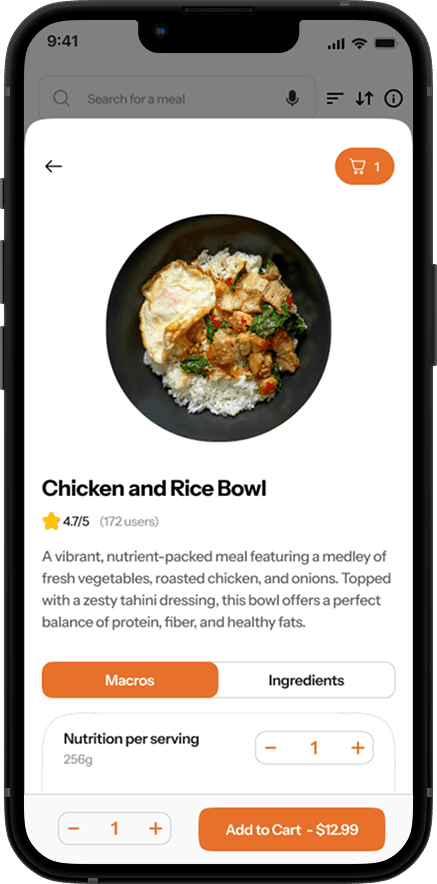
Meal cards
Led by large food photography
Dietary icons, cuisine type, calorie count, and a quick-add button let users browse and decide without leaving the feed.
CONFIDENCE
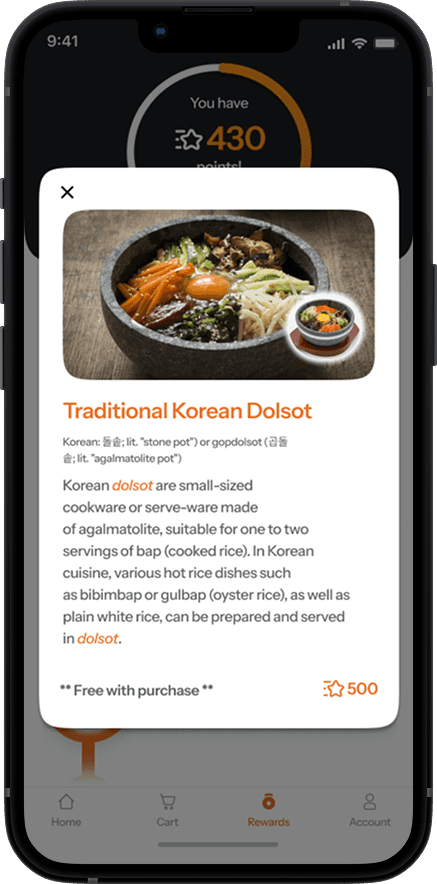
Gamified rewards
A progress indicator & milestone bar
Rewards include culturally meaningful free items, reinforcing the whole point of the app.
IMPACT & REFLECTION
Every decision tied back
to what users told us.
What worked
Letting research drive the retention design. The gamification was a direct response to user behavior, not an add-on.
What I'd do differently
Test the dietary icon system with real users before finalizing. We flagged the learning curve but didn't get to validate our solution.
If this shipped, I'd measure…
Repeat order rate, rewards page engagement, and session depth.


