From 'Who Are You?'
to 'What Do You Need to Do?'
B2B / Doc Site Redesign / Stardog
TL;DR
The problem
Stardog’s docs assumed users already understood how the platform was organized. Navigation was inconsistent, content was dense, and new users didn’t know where to begin.
What I did
Ran interviews, a survey, audits and competitor analysis. Then tested a role-based idea, found it wrong, and pivoted to task-based navigation.
The outcome
A six-part redesign that made task completion 40% faster in usability testing than Stardog’s existing interface.
Overview
A B2B knowledge graph platform
with docs users couldn't navigate.
Stardog is an enterprise knowledge graph platform used by organizations like NASA to work across complex datasets.
Its documentation assumed users already understood the platform before they started learning it.
Our team set out to make the docs easier to navigate, understand, and trust.
Then research changed the direction
We first explored organizing the docs around user roles. Testing showed something more important:
Users don’t think in roles. They think in tasks. That insight became the foundation for the redesign.
40%
Faster task completion rate in usability testing vs. Stardog's existing interface
200+
Research notes synthesized
20
Usability testing sessions
THE PROBLEM
Documentation written by engineers,
for engineers.
The docs weren’t technically broken. Using them just felt overwhelming.
Users could eventually find answers, but it took too much digging, context-switching, and prior knowledge. That created three problems:

Slows learning
New team members leaned on the docs to get up to speed. The docs assumed they were already there.

help meee
Increases support load
Nearly half of customers were emailing Stardog staff before ever opening the docs.

Blocks adoption
Business-side users hit dead ends early. Stardog's reach beyond technical users was shrinking because of it.
DISCOVERY
We started by listening,
A LOT.
Over the first stages of the project, we focused on how people actually used the documentation.

9
1:1 Interviews
With 5 internal Stardog employees & 4 external clients

62
Internal survey responses
Across various role and tenures at Stardog

3
Audits completed
Content, IA, Heuristic
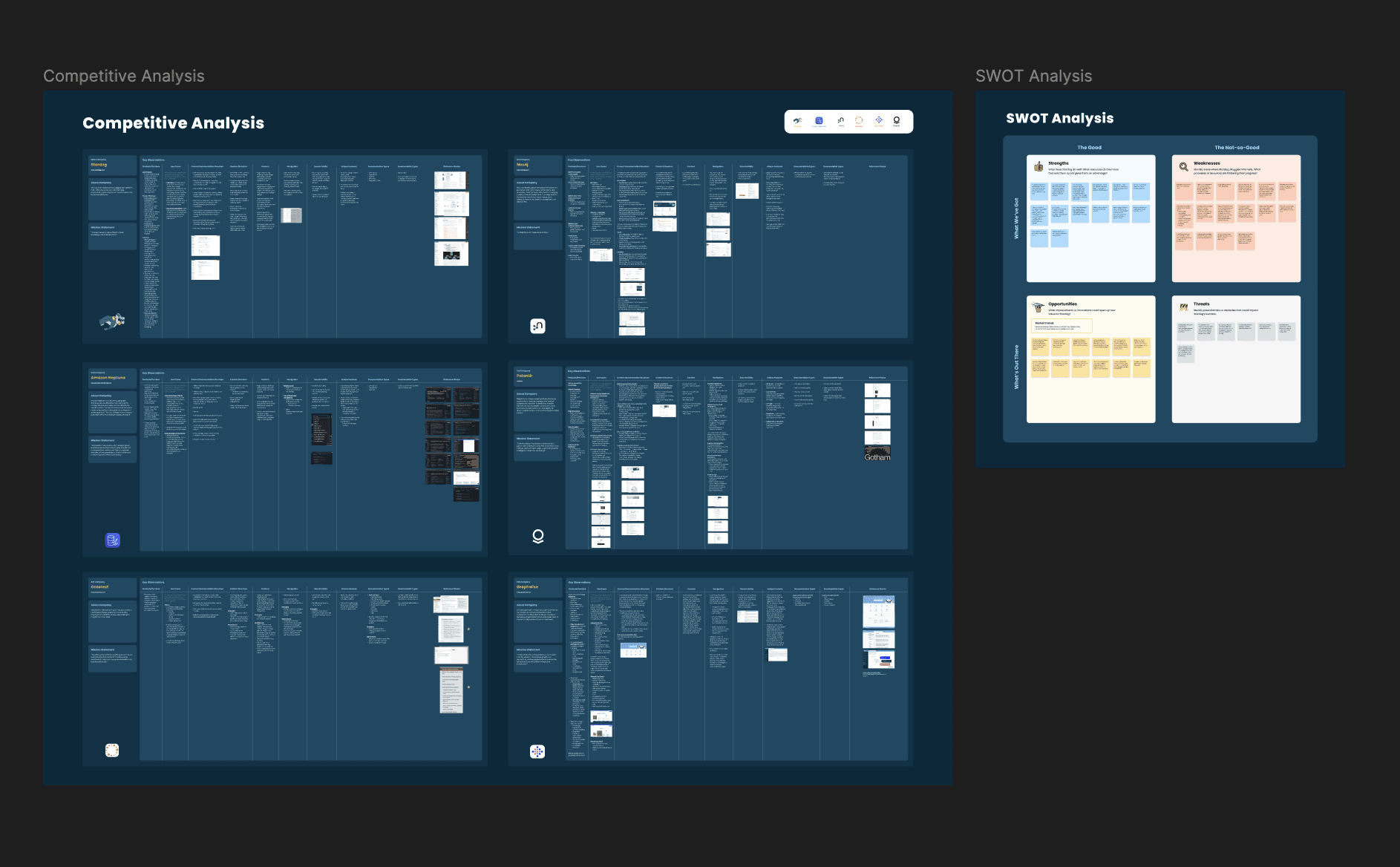
5
Competitors analyzed
Palantir, Neo4J, Amazon Neptune, Ontotext, Graphwise
We synthesized 200+ research observations through affinity mapping, and found:

EXPLORATION
Iterating on role-based navigation
& other early ideas.
Our first idea wasn't the right one.
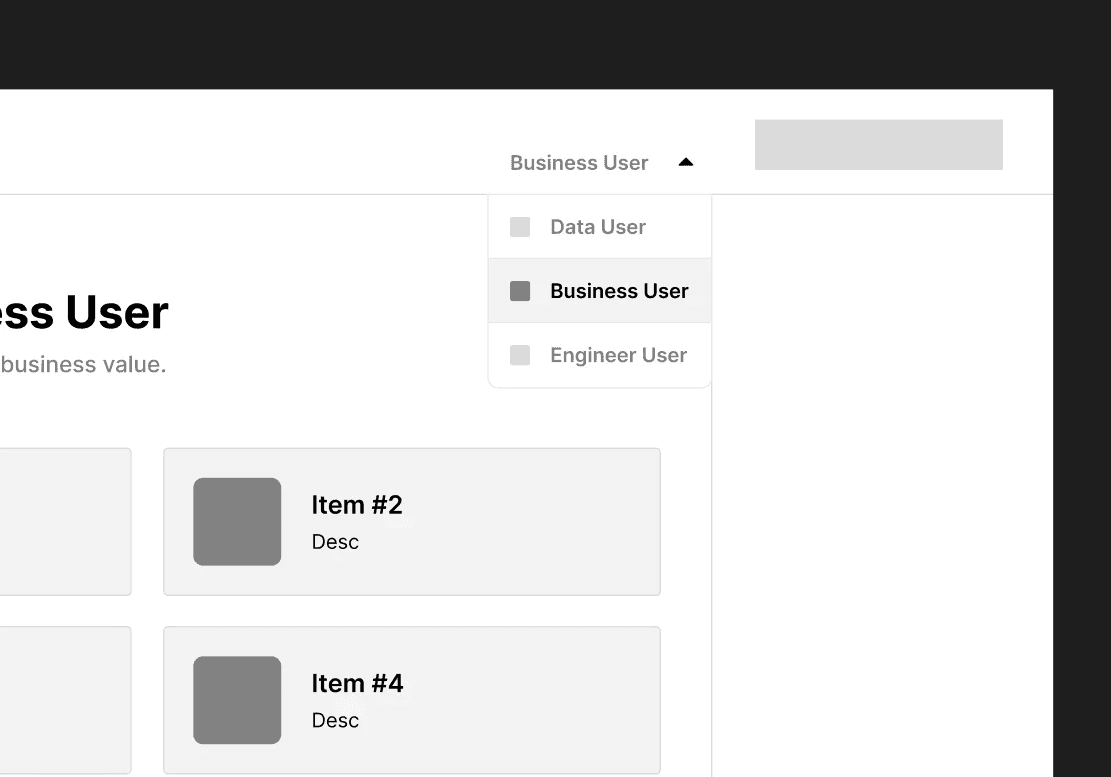
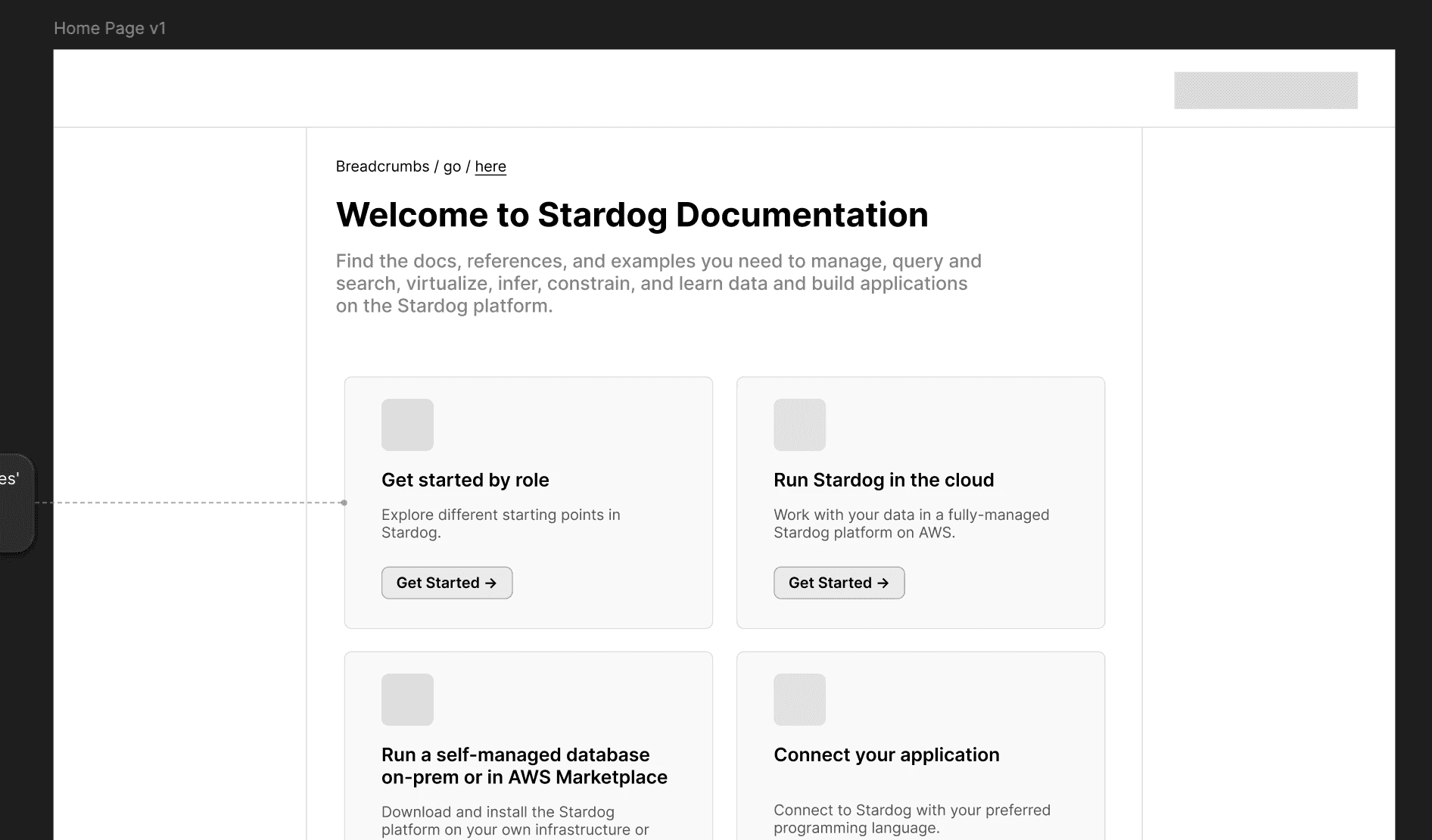
Based on early research, we explored role-based navigation. The idea was simple: tell us who you are, and we’ll show you the docs most relevant to your role.
We proposed seven design directions and, based on client priorities and engineering bandwidth, chose four to explore further. We spent the next sprint on low- and mid-fidelity concepts, client feedback, and critiques.
Then a question kept coming up: would users actually know which role to choose before they knew what they needed?
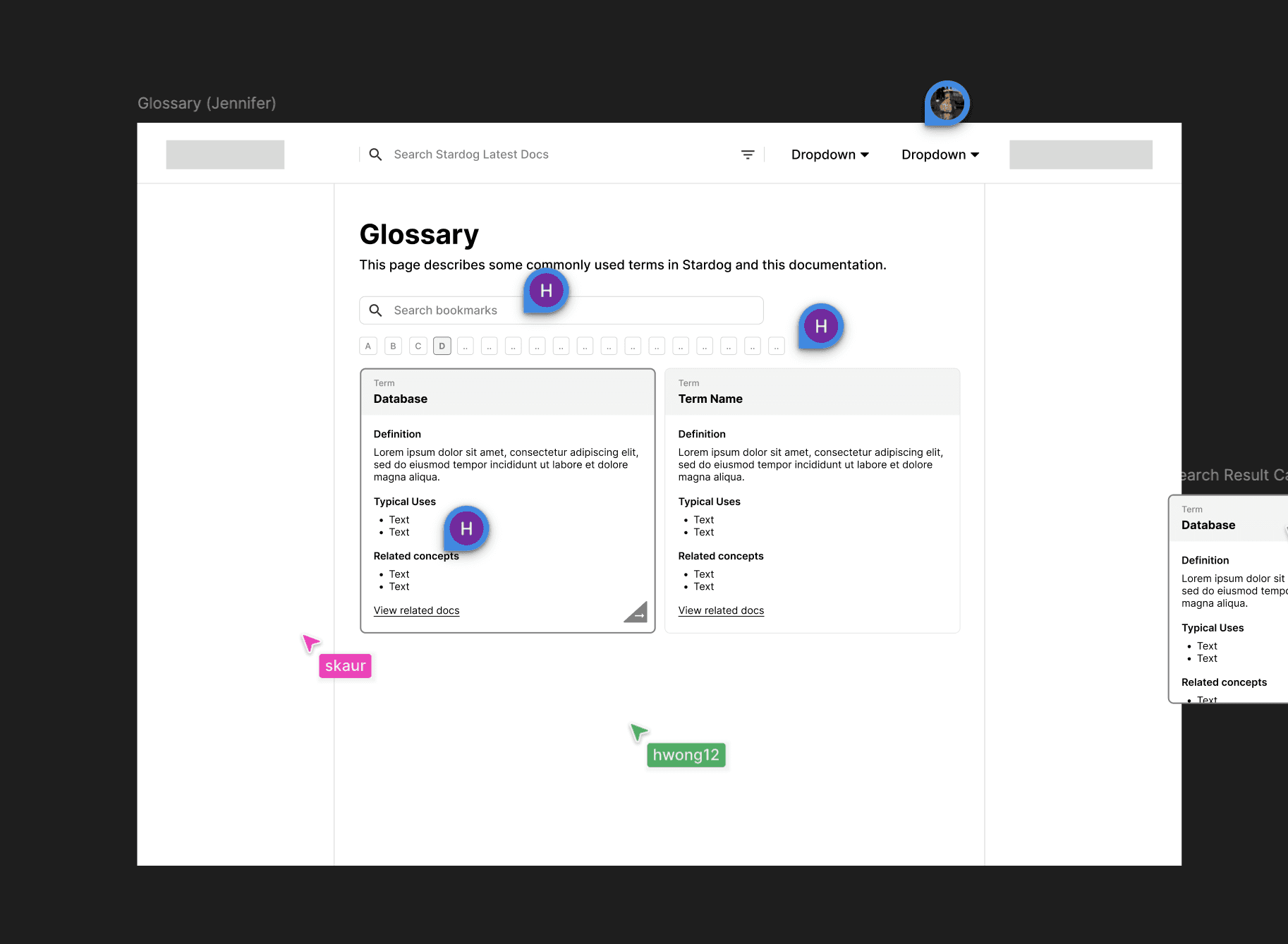
Glossary & critique session:
TURNING POINT
From a role switcher
to Job-To-Be-Done.
Card sorting and usability testing showed users group documentation by what they’re trying to accomplish, not by job title or product feature.
Our original persona model was organizing content around a question users weren’t asking.
BEFORE + AFTER
From "who are you?" to "what do you need to do?"


BEFORE — PERSONA-BASED
Who are you?
Business → Business docs
Developer -> Developer docs
Data -> Data docs
The Problem: users had to identify with a category before they could find their task.
AFTER — JOBS TO BE DONE
What do you need to do?
Model my data → data modeling
Query my graph → query tools
Deploy my app → deployment
The new structure let users start with the work they were actually trying to accomplish.
“Directionally being oriented by role and the work each user needs to accomplish is going to be a huge benefit.”
Participant 02 / Internal PreSales / Homepage Usability Test
The lesson: the pivot wasn’t just a new navigation pattern. It changed the organizing principle for the entire experience.
TESTING
We tested throughout,
not just at the end.
We ran 20 usability tests with technical and non-technical Stardog users.
Each round answered a specific question about the emerging experience.

CARD SORTING
Users group pages by task, not product.
This reinforced our shift away from product- and role-based organization.
MENU NAVIGATION
Users needed a clearer starting point.
The existing navigation didn't clearly communicate where different users should begin.

SEARCH EXPERIENCE
Role filters weren't intuitive.
Users responded better to filters based on content type or task.
HOMEPAGE
A role toggle wasn't enough.
Users wanted task-oriented entry points rather than simply selecting a persona.
CONTENT PAGE
Users needed orientation before diving in.
Tags, callouts, and a visible legend helped users understand what they were looking at before reading.
GLOSSARY
Definitions worked best in context.
Hoverable term definitions helped users understand unfamiliar concepts without leaving the page.
FINAL DESIGN
Navigation built around
what people actually do.
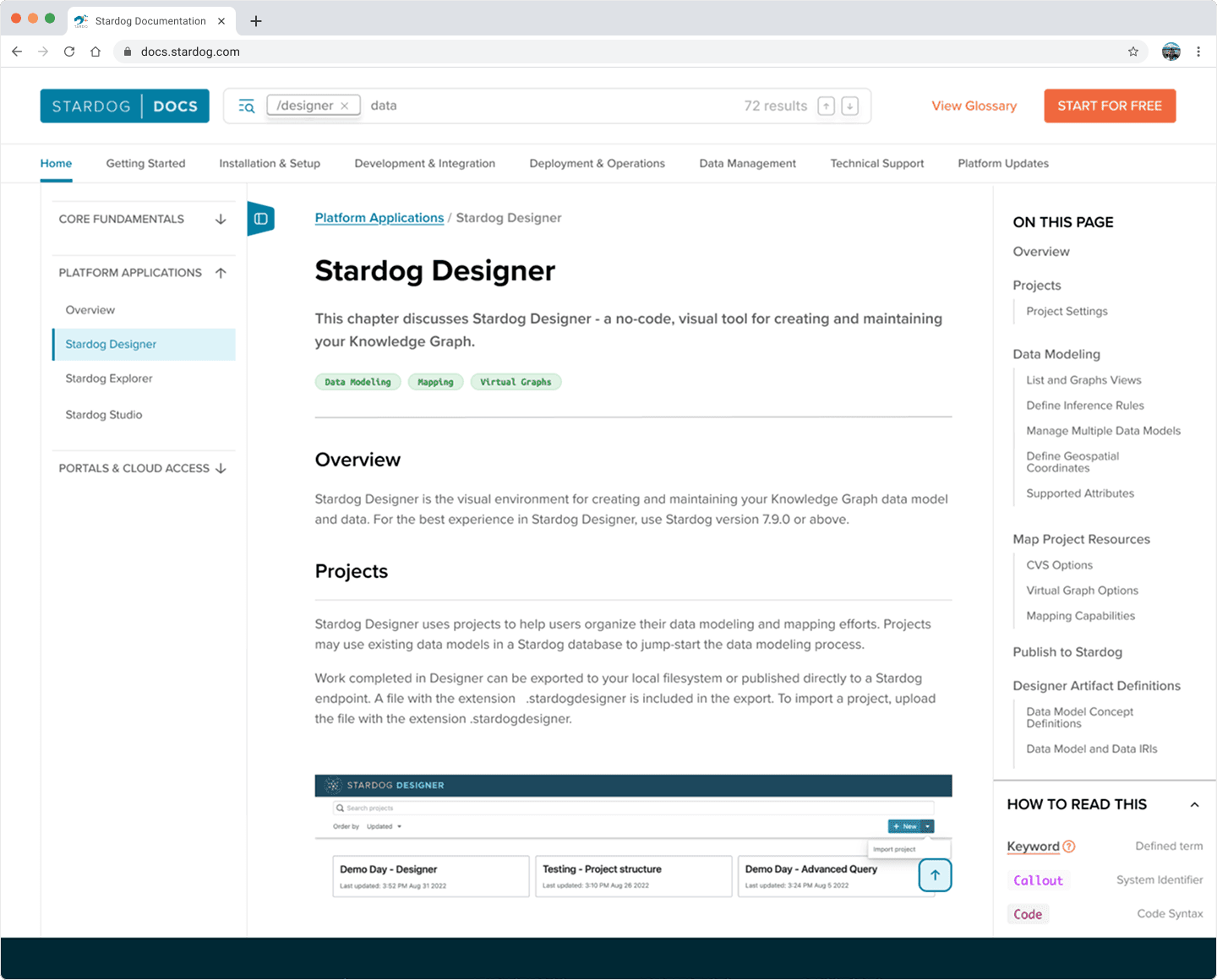
Move 01 / RESTructured IA
From product structure to user progression.
We reorganized the top navigation into eight categories, grouped around how users progress through their work.
The structure is understandable without knowing Stardog’s terminology.
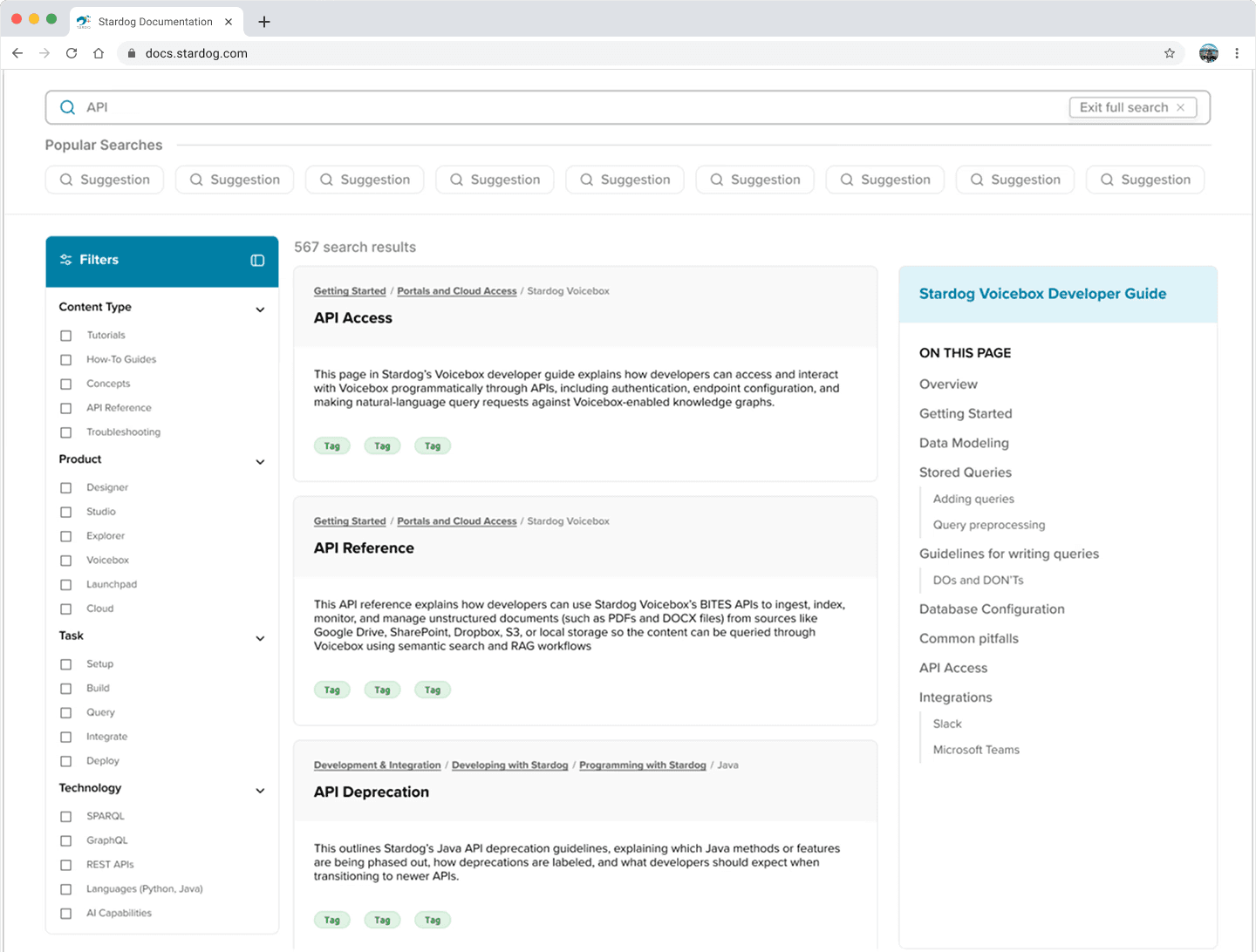
Move 02 / two-level search
Quick when you need it.
Two search experiences keep search fast without forcing everyone into a search page.
Quick search: a popup that keeps your current context
Expanded search: a full page with four faceted filter dimensions
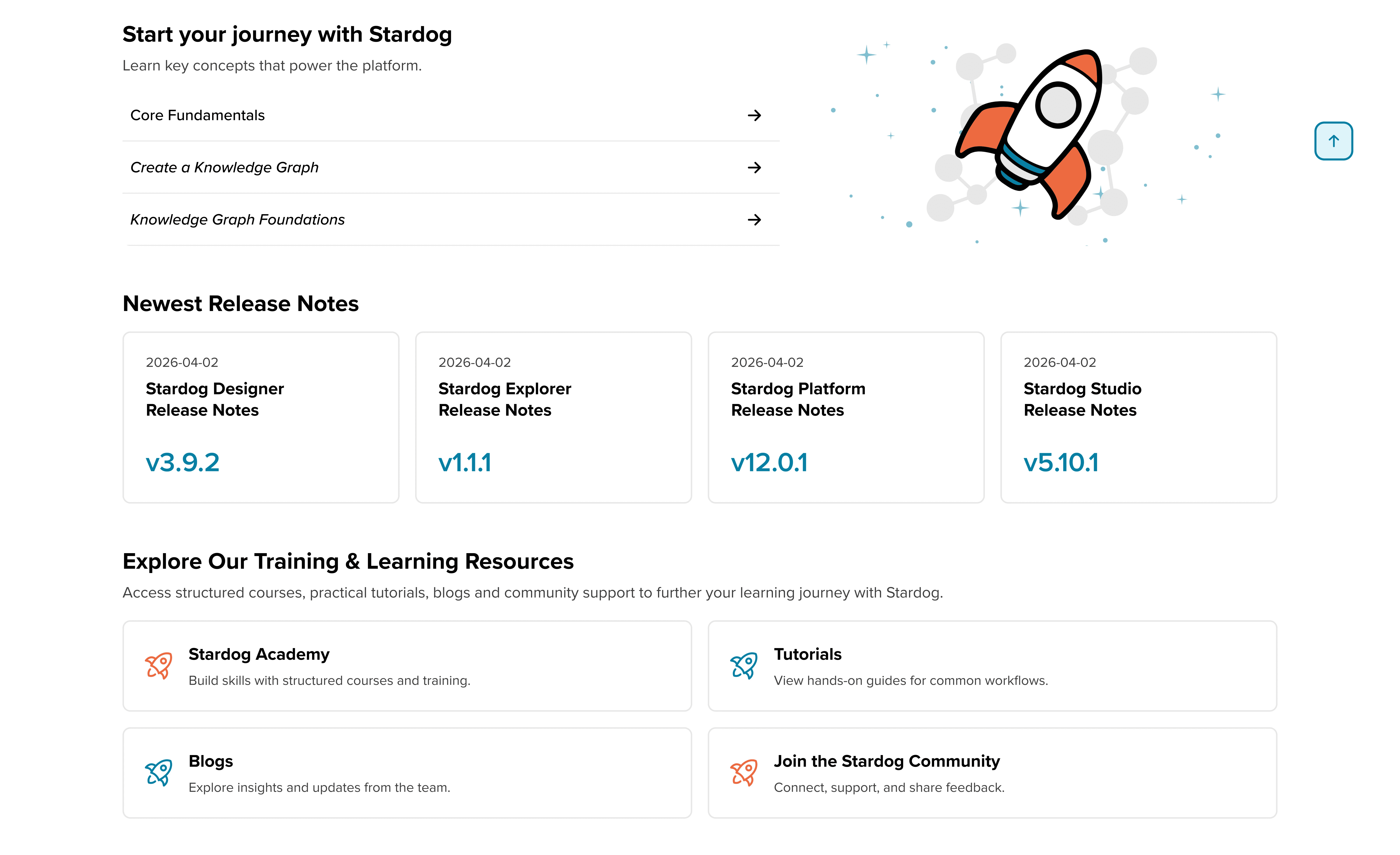
Move 03 / homepage as a discovery surface
Give users somewhere to start.
Instead of choosing a role, users get task-oriented entry points.
JTBD toggle
Quick links
Tagged task cards
“Start Your Journey” guided path

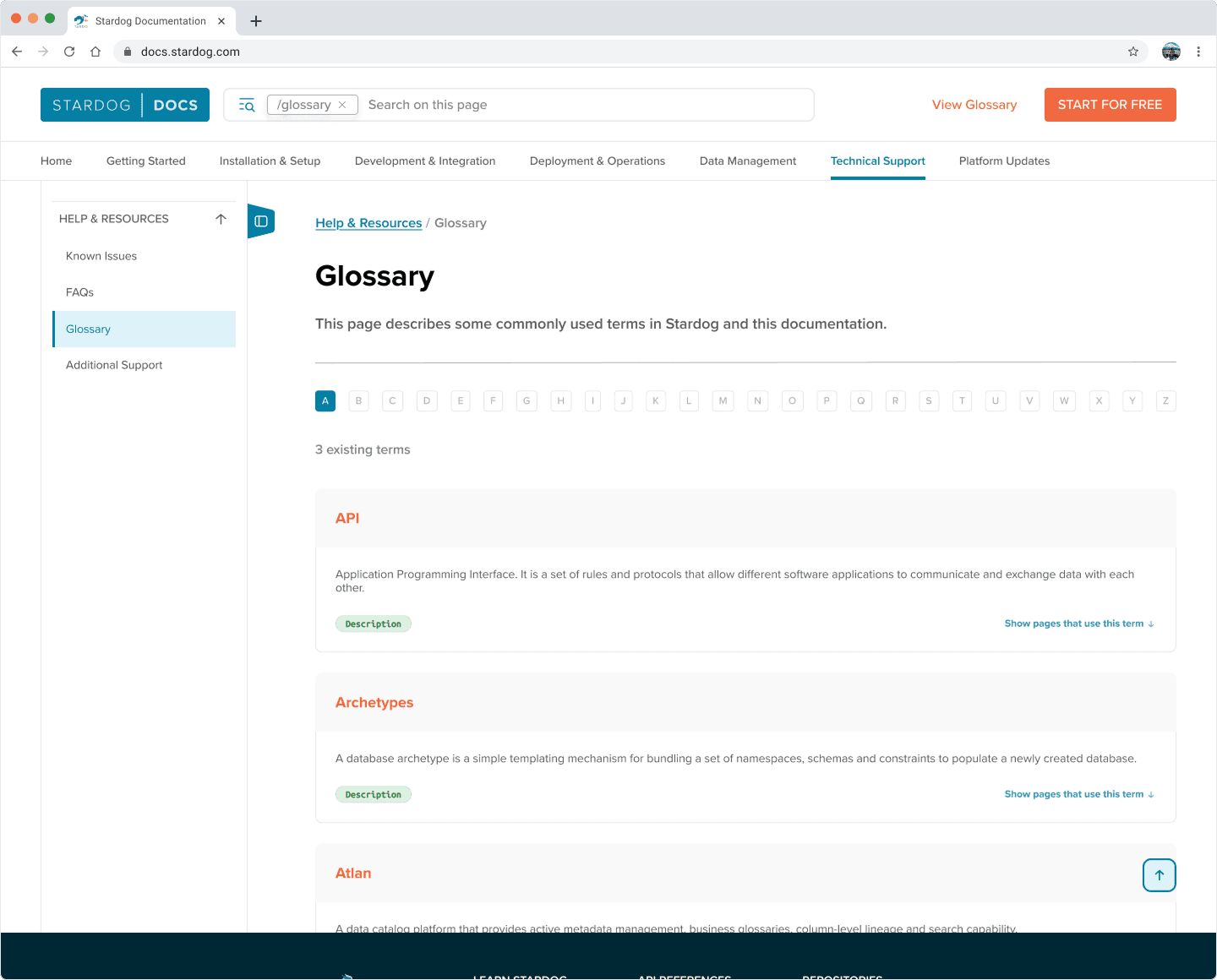
move 04 / glossary integration
Put definitions where users need them
The glossary moved into top-level navigation, so users rarely have to leave the page for a term.
A–Z filtering
Term reference cards
Backlinks to pages where terms appear
Inline definitions
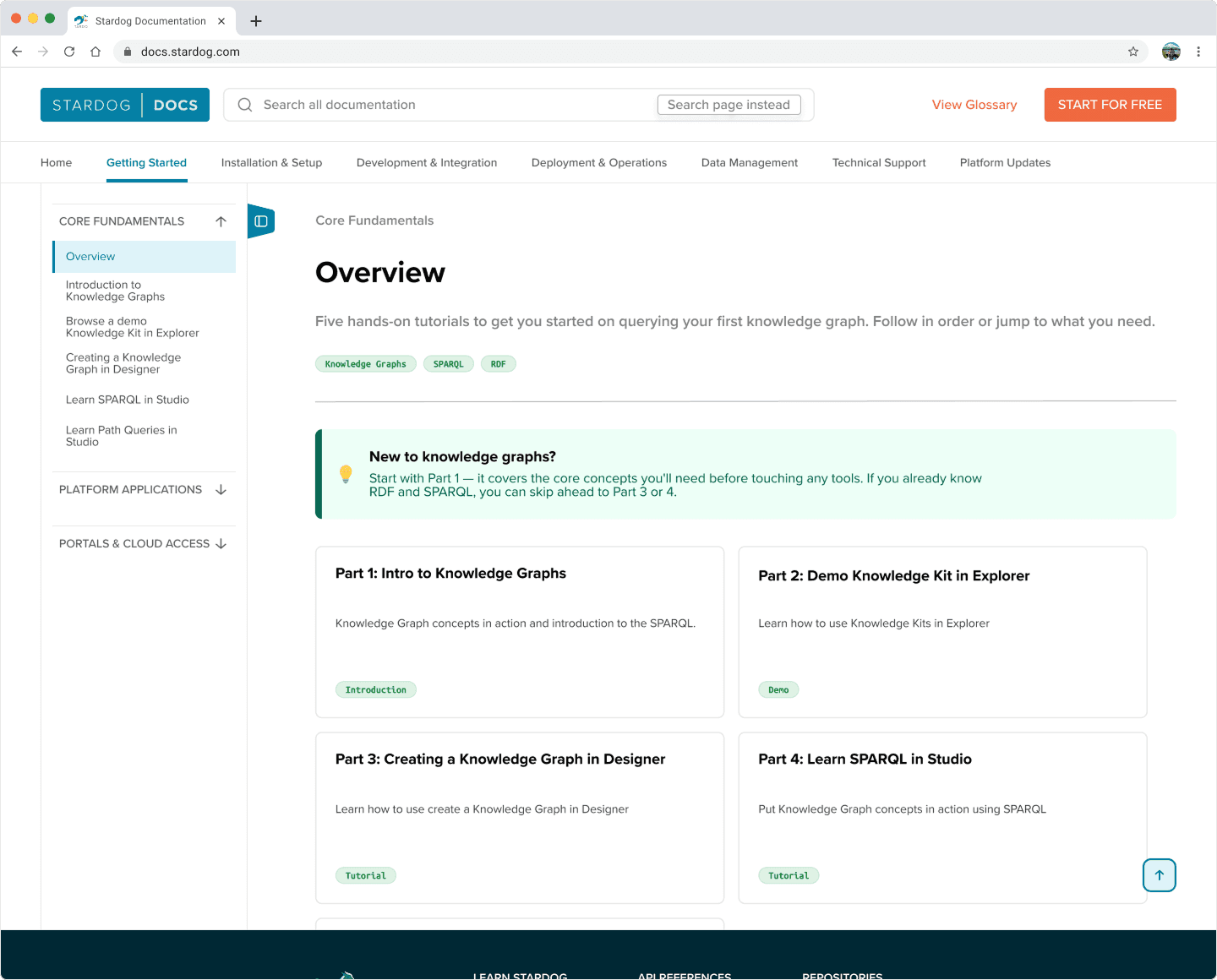
move 05 / content page anatomy
Orient first. Read second.
A consistent page structure, plus an overview page for every section.
Breadcrumbs
Plain-language overview
Page tags
Inline term tooltips
“On This Page” table of contents
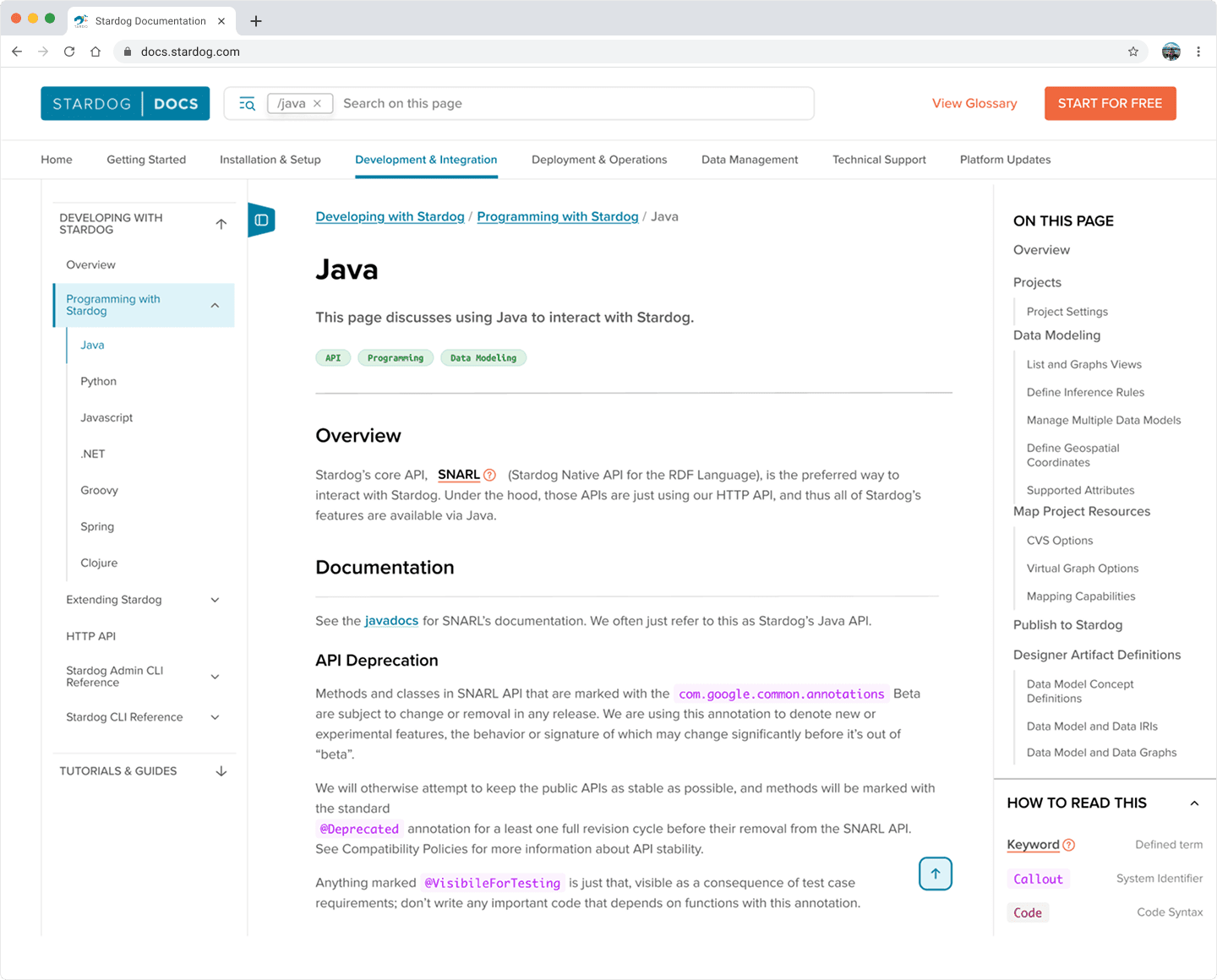
move 06 / inline content components
Make dense technical content easier to scan
Standardized patterns create clearer hierarchy without changing the technical content.
Code blocks with one-click copy
Notes
Tips
Warnings
OUTCOME
Research-validated results.
40%
faster task completion in usability testing vs. the original experience
6
redesign moves
20
usability sessions validating the work across technical and non-technical users
The project ultimately moved the documentation from an experience organized around how Stardog understood its users toward one organized around what users were actually trying to accomplish.
Dense content needs room to breathe.
During design review, I pushed for WCAG-recommended 1.5× minimum line height across the experience when a tighter version had been proposed.
For a docs platform full of technical content, spacing should support readability and lower density.
REFLECTION
What I'd do differently,
and what I'd do again.
What worked
Trust the research, even when it complicates the work.
The JTBD pivot meant rethinking work we’d already completed. That wasn’t easy, but testing the new model validated the decision.
Good research doesn’t always confirm your original idea. Sometimes its most valuable job is telling you to change it.
What I'd do differently
Align on technical constraints earlier.
We spent time on directions that weren’t going to be implemented. Earlier alignment on implementation constraints would have focused our effort sooner, without limiting how broadly we explored.
If I could, I'd measure…
Search abandonment rate: are users still giving up before finding what they need?
Time to first successful page: how quickly do users reach useful docs?
Support ticket volume: does a better docs experience reduce the need for direct help?
AI helped us see patterns faster, not make the decisions.
We used ChatGPT to help cluster 200+ affinity notes from 9 interviews and 62 survey responses. It sped up finding patterns in a large volume of qualitative data, but the interpretation and synthesis stayed ours.
AI accelerated the analysis. It didn’t replace the research.