Designing for
Better Sleeping Habits
Sleep Tracker App / SnoozeFest
TL;DR
The problem
College students aren’t getting enough sleep, which hurts their mental health, social life, and academic standing.
What I did
Analyzed Headspace against 8 usability heuristics, then designed a mobile app from paper sketches through a full style system to a high-fidelity prototype.
The outcome
SnoozeFest: a sleep tracker with a calm, rounded, dreamy visual identity built to make better sleep habits feel approachable.
OVERVIEW
College students are not
getting enough sleep.
Students struggle to juggle freedom and responsibility while keeping a healthy sleep schedule.
That takes a toll on mental health, social interactions, and academic success.
They need a way to improve their sleep habits so they can manage a busy college lifestyle while staying in good mental and academic standing.
My goal
Create an app that lets a user track their sleeping habits and get access to helpful wellness resources.
This project focuses on visual design and interaction design, using those principles to evoke emotion and build a brand.
understanding the space
What do
other apps do?
I benchmarked Headspace, a well-known mental wellness app, against Schneiderman’s 8 Golden Rules of Interface Design and its information architecture, to see what a mature wellness brand does well and where it falls short.
Clear, consistent feedback
Status icons, highlighted nav, and time-of-day suggestions make the app easy to read at a glance. This shaped how I show sleep and activity status in SnoozeFest.
Weak search, some dead ends
Search lacks filtering and assumes prior knowledge, and error states (like a failed sign-up) don’t explain what went wrong. Both became things to avoid.
A calming visual language
Its dark blue base feels calming, with brighter accents for contrast. That color logic became a direct influence on SnoozeFest’s own palette.
INitial protoypes
From paper sketches
to wireframes.
Low- to mid-fidelity
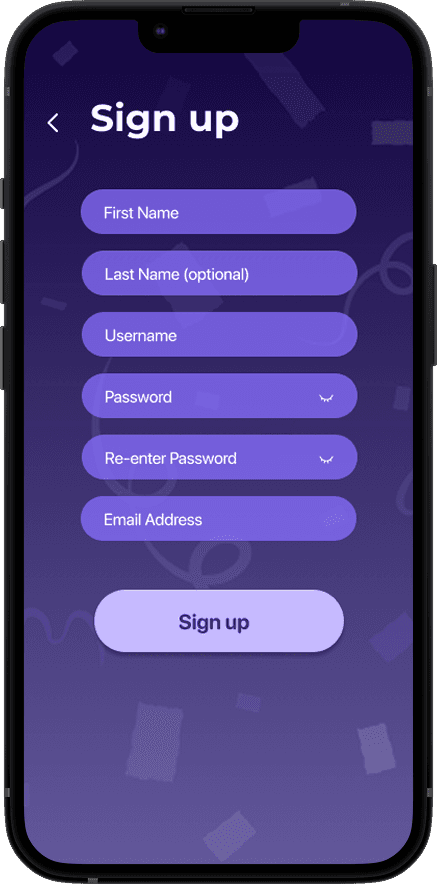
After gathering inspiration from Headspace, I sketched preliminary ideas into 9 screens, including log in and sign up.
Then, I moved into wireframes to work out sizing, spacing, and how elements should be organized on each screen.
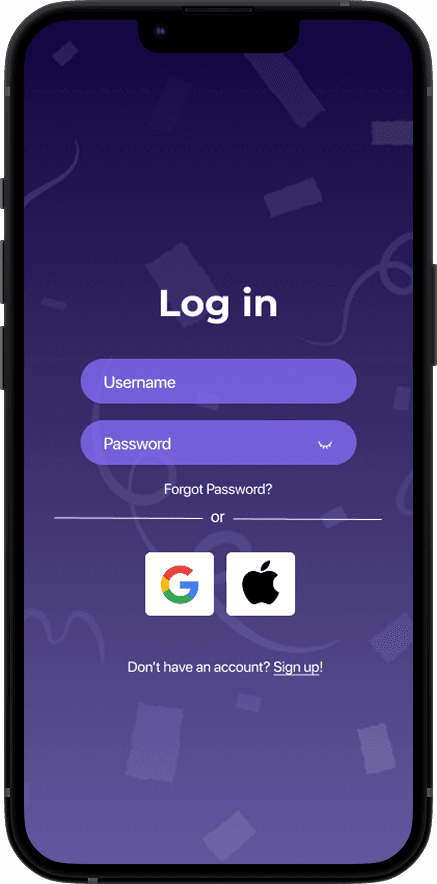
Sign up / log in
Home: greeting, alarm reminder, daily quote, and a prompt to start or end the day
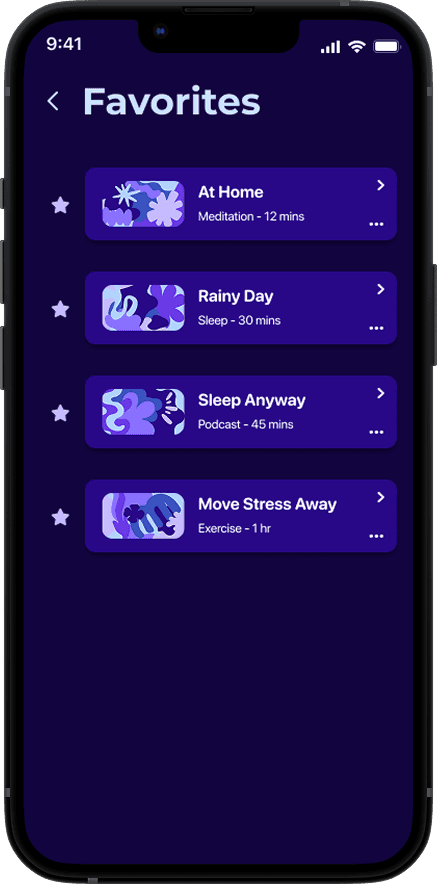
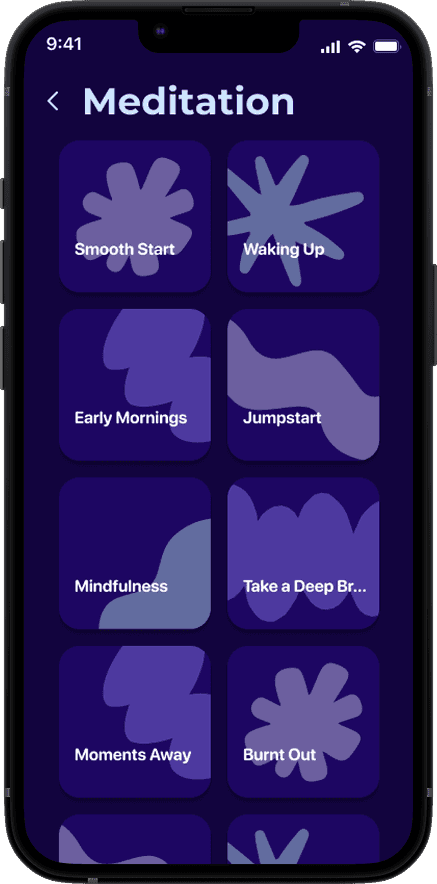
Activities: 3 daily curated wellness modules, plus a favorites screen
Sleep tracker: most recent sleep overview, quality %, duration, and manual entry
Profile: name, synced apps, and activity history


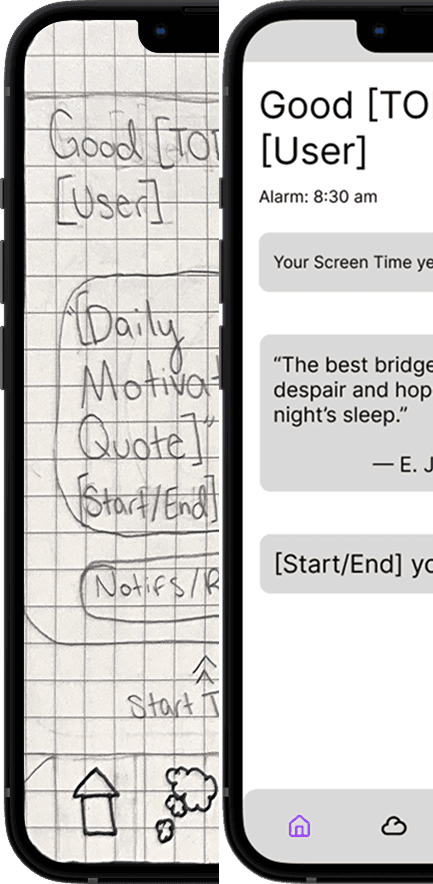


⌙ Sketches + Wireframes
adding style
A style guide
built around calm.
This system aims to feel simple and user-friendly, so the user feels peaceful, relaxed, and protected while using the app.
Color Palette
These colors create a calming, dreamy feel that aligns with the app’s purpose: helping users improve their sleep habits.
#12043E
#280886
#6939E7
#886FFF
#232323
#C6BAFF
#CCE2FF
#FFFFFF
Typography
20px
36px, headline
40px, display
16px, body
18px
20px, buttons
Logo, images, iconography
Nighttime and dreaming were the biggest sources of inspiration for the logo and imagery. Icons, buttons, cards, and input fields all share soft, rounded edges for a cartoonish feel meant to calm and comfort the user.

FINAL SOLUTION
A sleep app that feels as calm
as the habits it's trying to build.
WHAT I BUILT
01
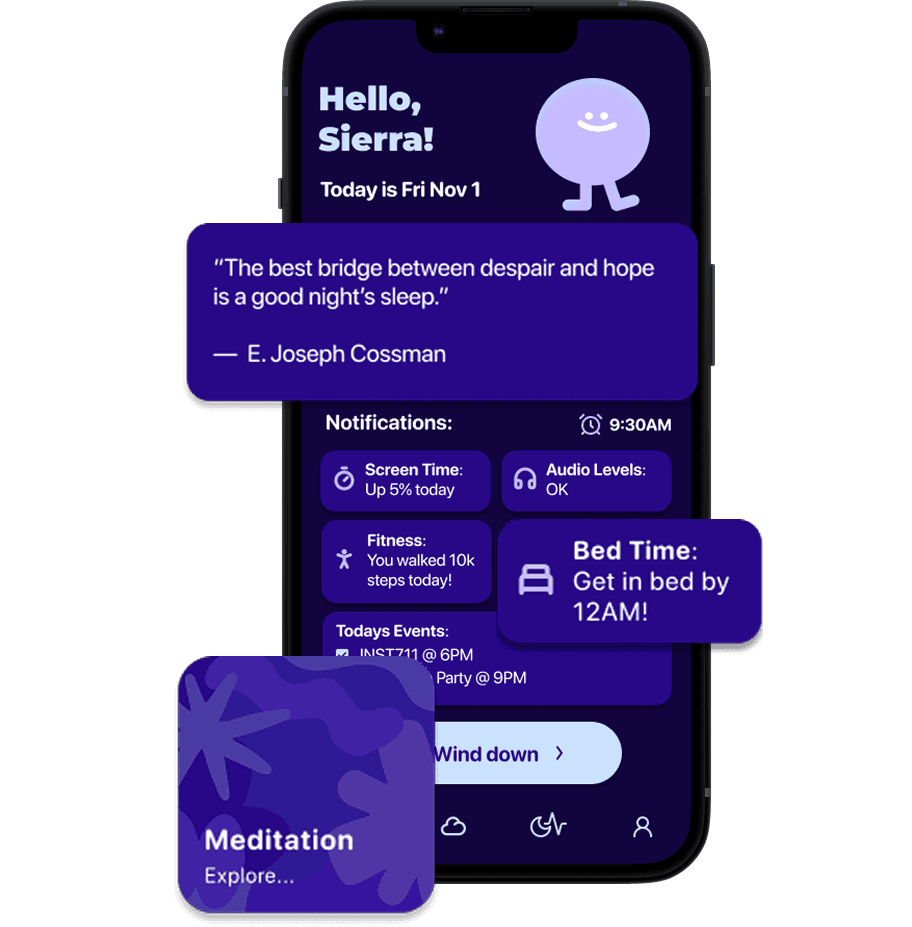
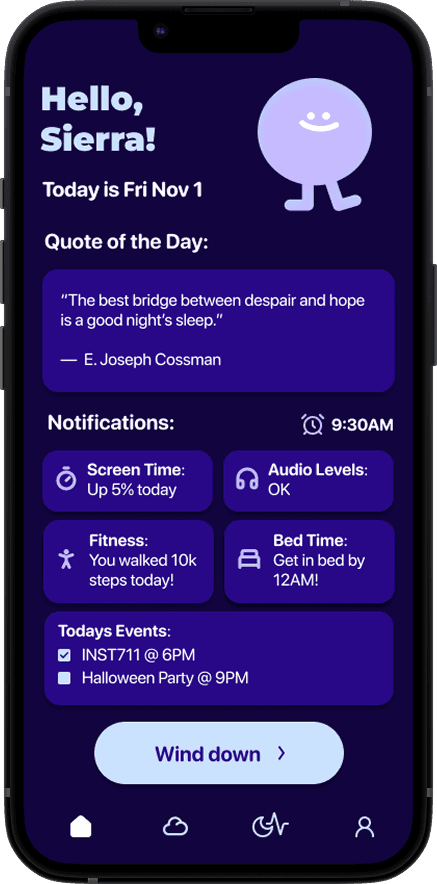
Home page
A personalized greeting, alarm reminder, and a nudge to wind down.
User greeting for a sense of personalization
Alarm reminder plus notifications on behavior that may affect sleep (screen time, audio, fitness, bedtime, scheduled events)
Motivational, sleep-related quote of the day
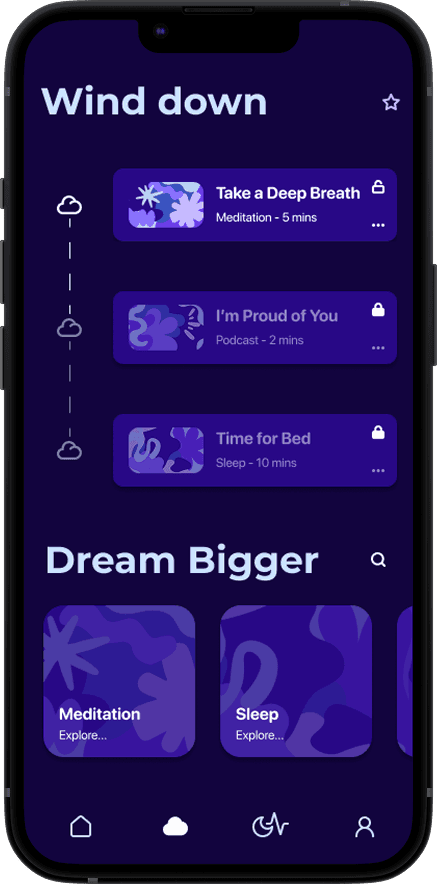
Prompt to wind down with wellness modules
02
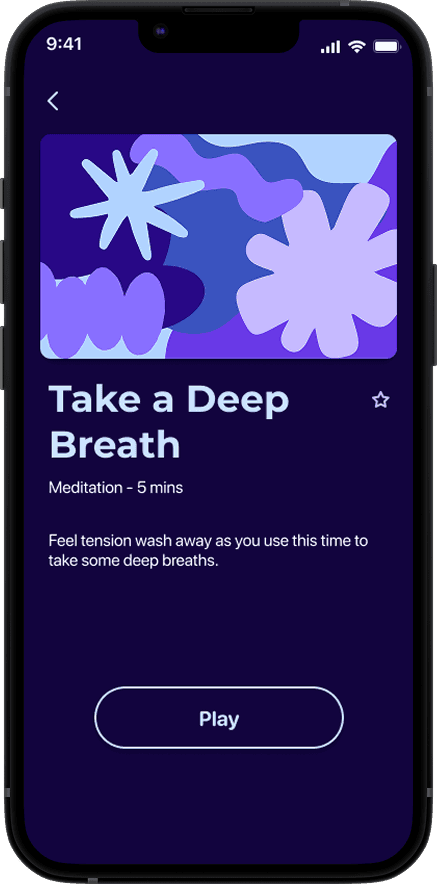
Wellness modules
Three daily curated modules that unlock as you complete the prior one.
Star button to access favorited content
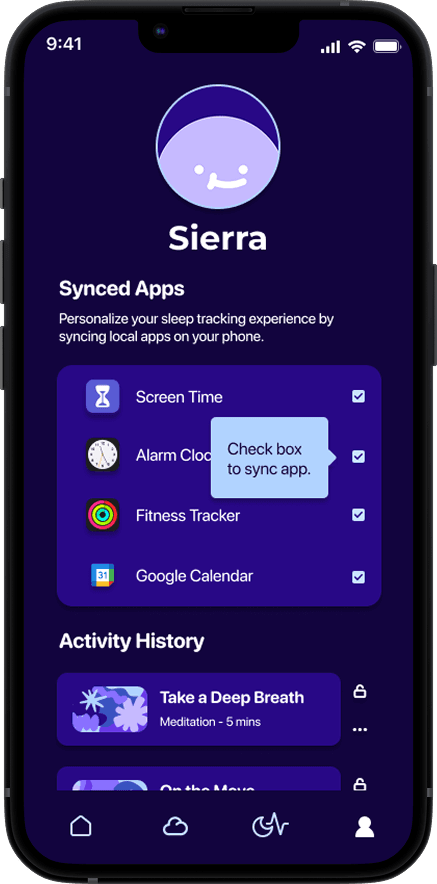
Friendly, cartoonish profile character
Tooltip for help or further explanation
03
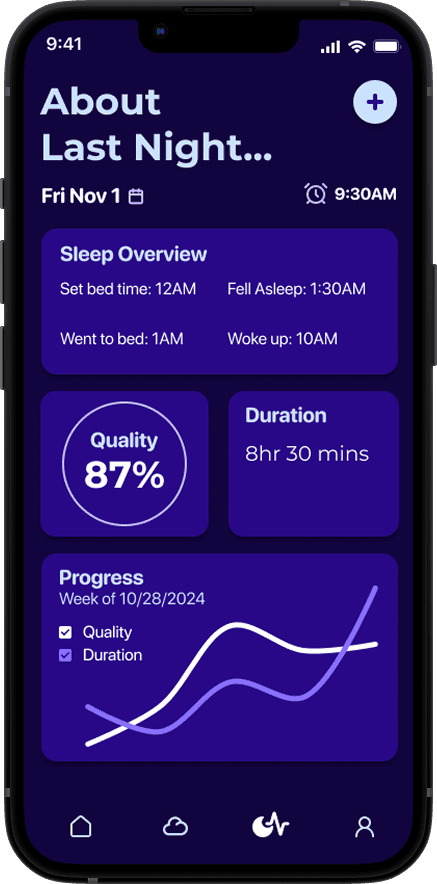
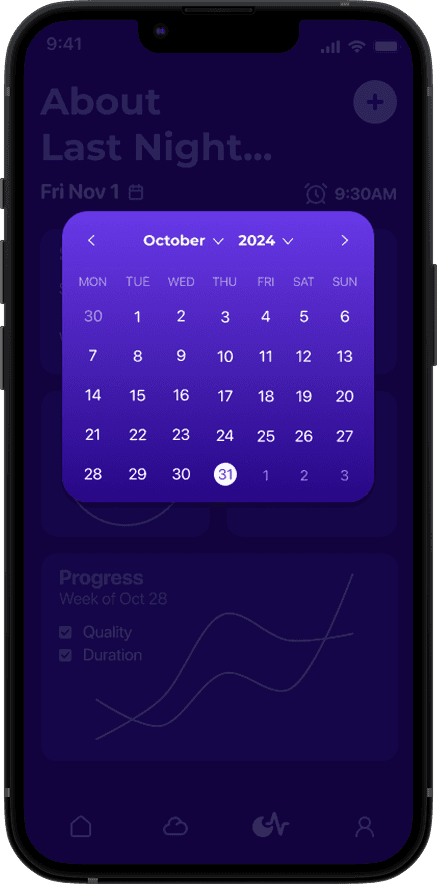
Sleep Tracker
An overview of last night’s sleep, plus manual entry for non-wearable users.
Overview of intended bedtime, actual bedtime, sleep onset, and wake time
Data on quality and duration
Checked box shows the app is currently synced
Manual entry option

04
User profile
Weekly trends and access to past activity, not just raw numbers.
Synced apps for automatic, personalized tracking
Access to activity history and past modules
Progress graph highlighting trend direction over exact numbers
“Dream Bigger” section to browse content across all 4 categories
IMPACT & REFLECTION
Learning, growing
& creating something enjoyable.
Most enjoyable part
Building the style guide
Playing with color themes, iconography, and typography led to a dreamy, calm, rounded feel carried through every icon, component, and font.
Happy mistakes?
How is this specific to college students?
In its current state, it isn't. This app has the potential to serve a wider variety of users than my initial intended user group. ->
next steps
Expand campus resources
To tailor towards college students specifically, I want to add a feature that connects users to information and resources available on their own campus.