Reducing Cognitive Load
for Event Planners in Venue Search
B2B SaaS / Search Flow Redesign / Cvent
TL;DR
The problem
Planners knew what they wanted, but a flat, scroll-first list made venues hard to scan, compare, and act on.
What I did
Analyzed 10 session recordings, audited the flow, and led a design workshop. Then I designed, prototyped, and tested a new search experience.
The outcome
A structured layout, targeted filtering, and clearer next steps. Design leads praised the design-system use and the link between decisions and user outcomes.
OVERVIEW
What should be a quick search,
isn't.
Venue search can be a critical first step in booking an event.
But the existing experience made it hard for planners to quickly find, filter, and tell apart venues and floor plans.
MY SCOPE
I owned the UX process for the venue-search experience, including behavioral analysis, design audit, ideation, interaction design, prototyping, usability testing, and final presentation.
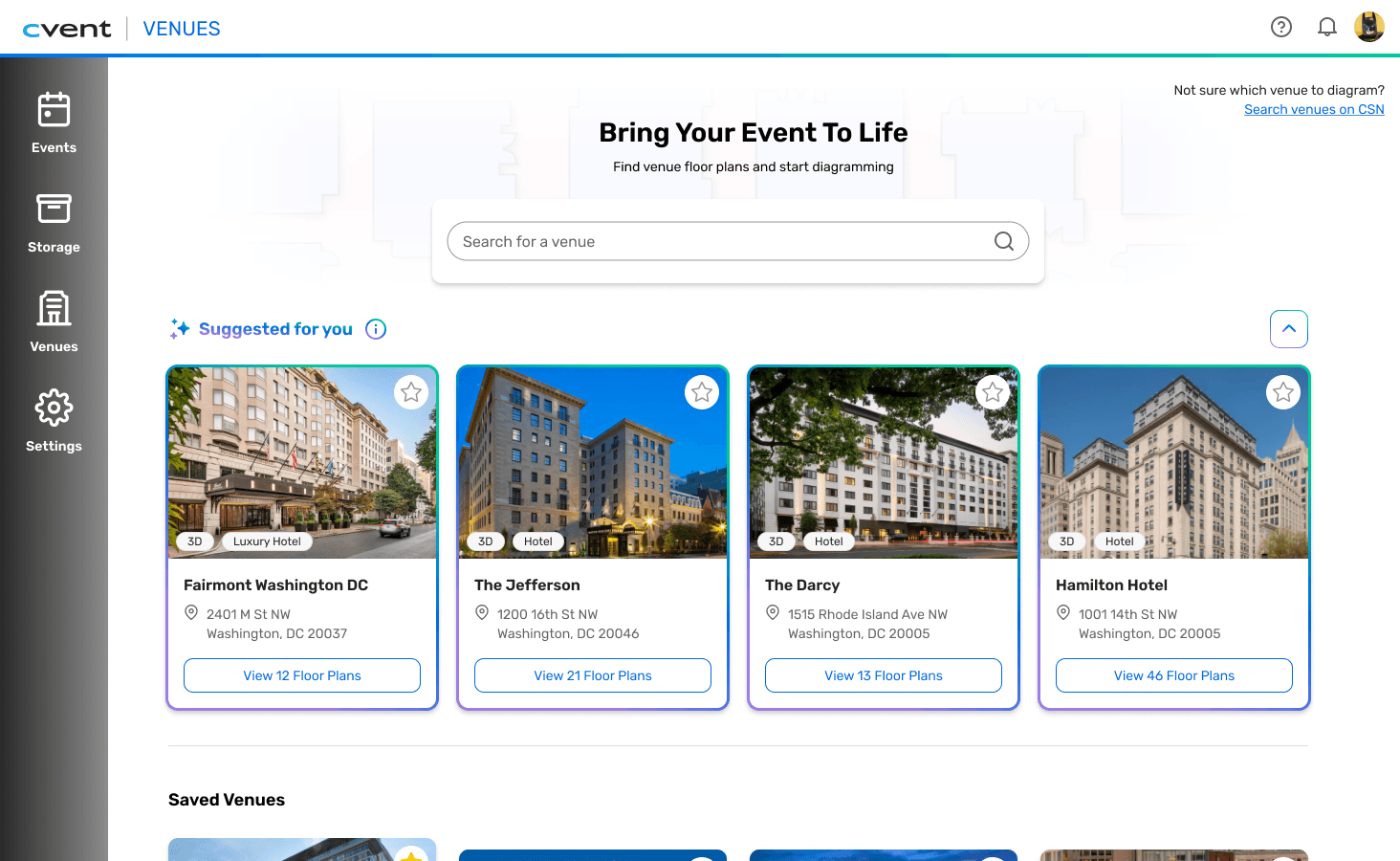

⌙ Search Landing Page: Before vs. After
PROBLEM
Event planners know
what they're searching for.
They just can't find it.
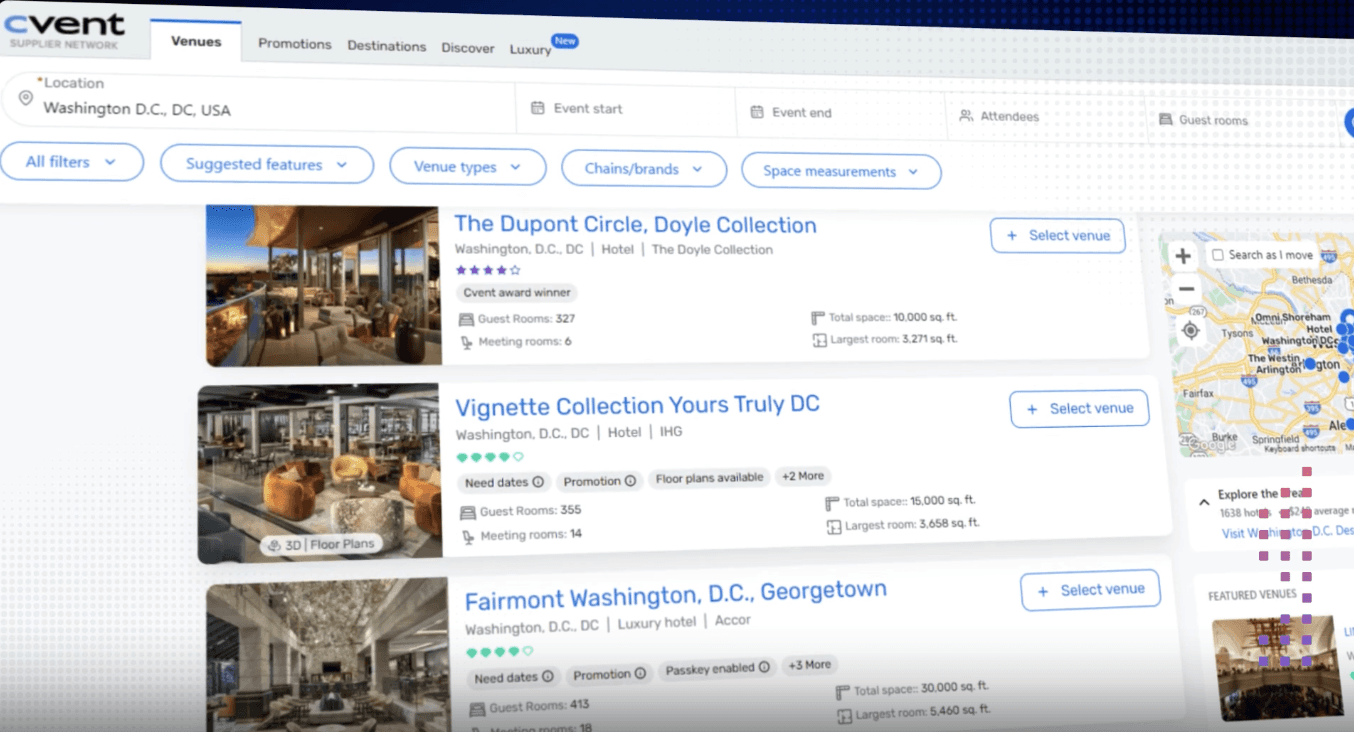
A flat, scroll-first list of venues and floor plans.
The original experience presented venues and floor plans as a flat, scroll-first list with little visual hierarchy, limited filtering, and few ways to distinguish between similar results.
Planners had to manually scan the results to find venues they had already contracted.

⌙ User Journey: Friction points across the flow
RESEARCH
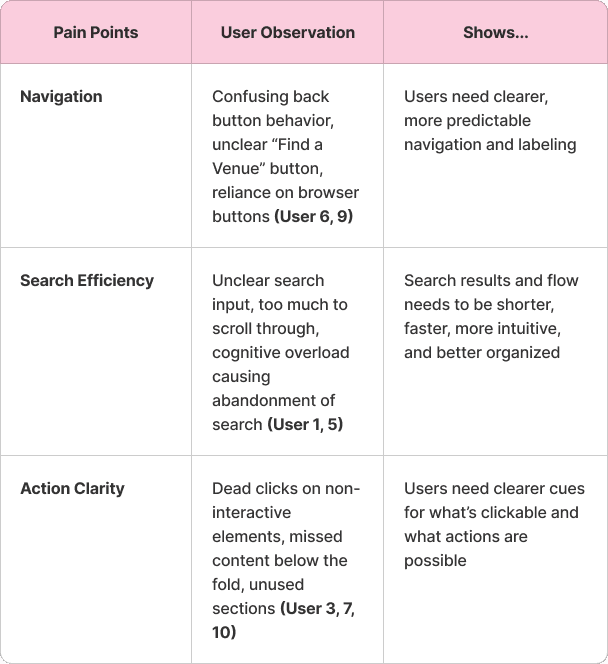
10 session recordings.
Same three problems.
What I did:
I combined behavioral data, a heuristic review, and a team workshop to find where the flow broke down.
10
Datadog sessions
Identified where planners hesitated, left or backtracked
1
Internal audit
Benchmarked expectations from Cvent's sourcing platform
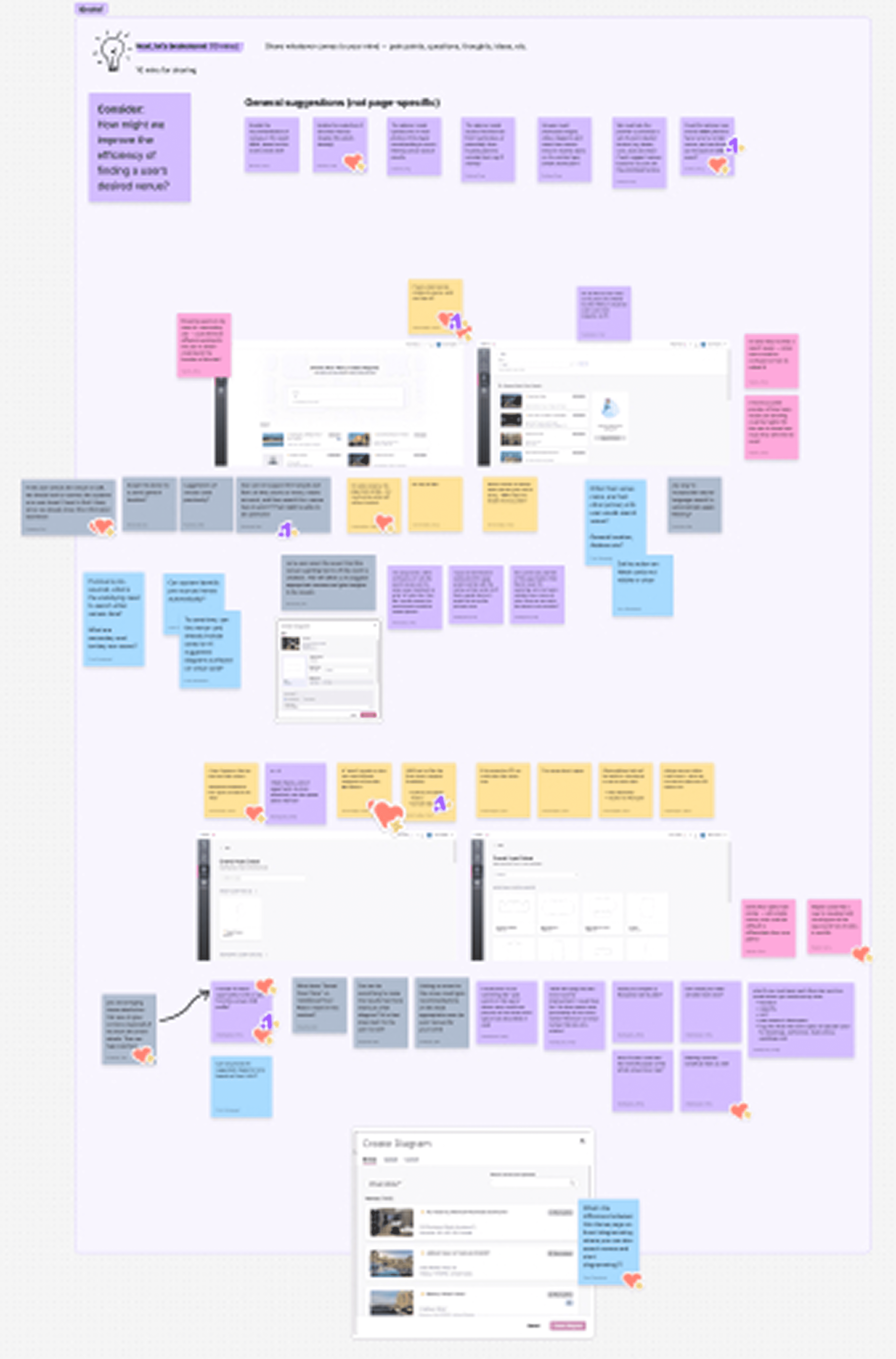
Led
A design workshop
Explored solutions with the product team
What the research showed:

How might we…
help planners find the right venue faster, with less cognitive effort and while keeping them moving through the search flow?
EXPLORATION
Three decisions that could have gone wrong
and how I worked through each one.
Shaping the final design
I explored early solutions through sketching and wireframing — and hit some decisions that required iteration.

⌙ Early Concepts: Sketching
TRADEOFFS
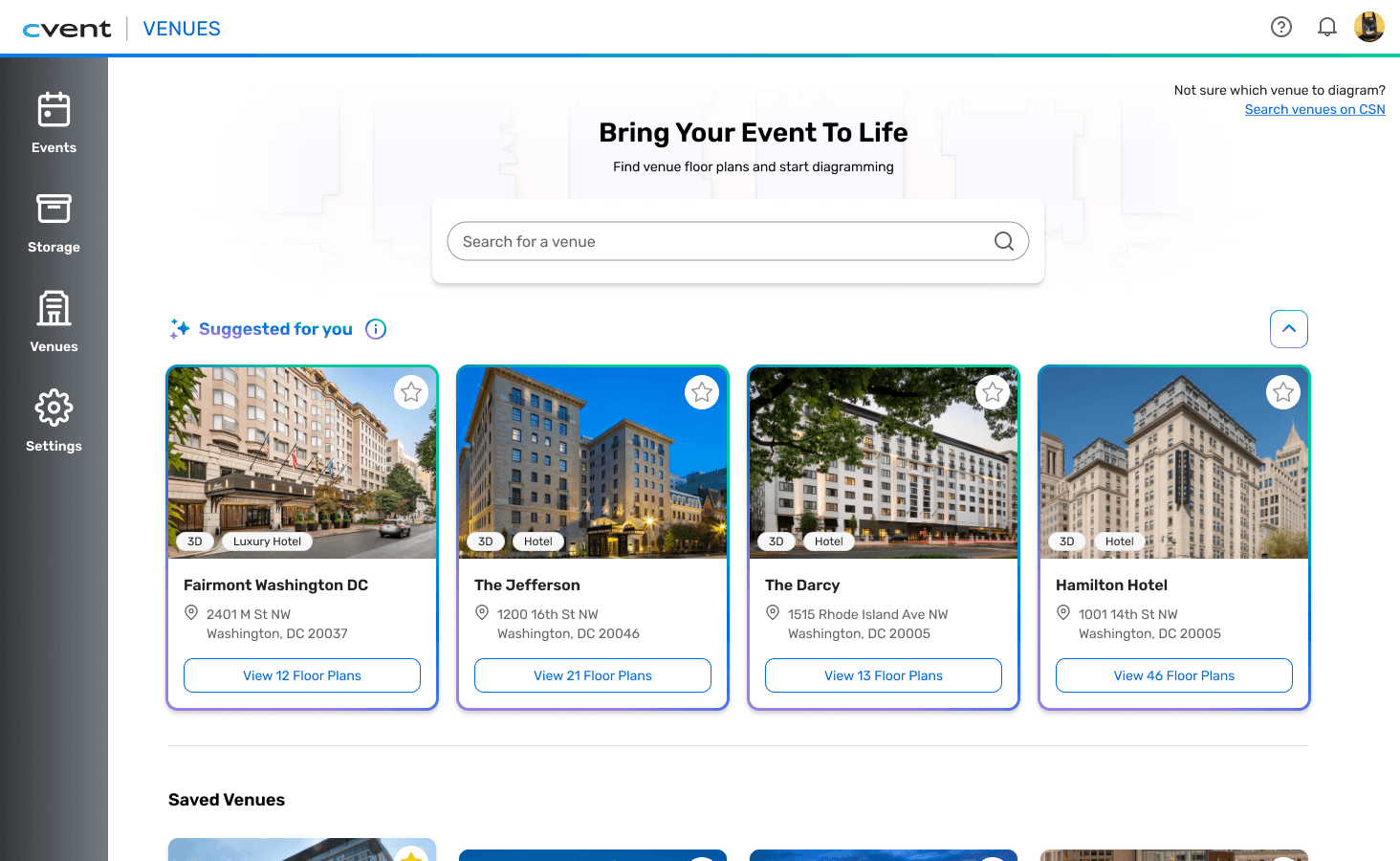
I initially explored using cross-platform data to surface recently contracted venues.
Cutting that back to a smaller, simpler set of suggested venues kept the value for planners and stayed inside what the data could support.
The result: a direction the team could actually build, without losing the underlying user need.
Before


After
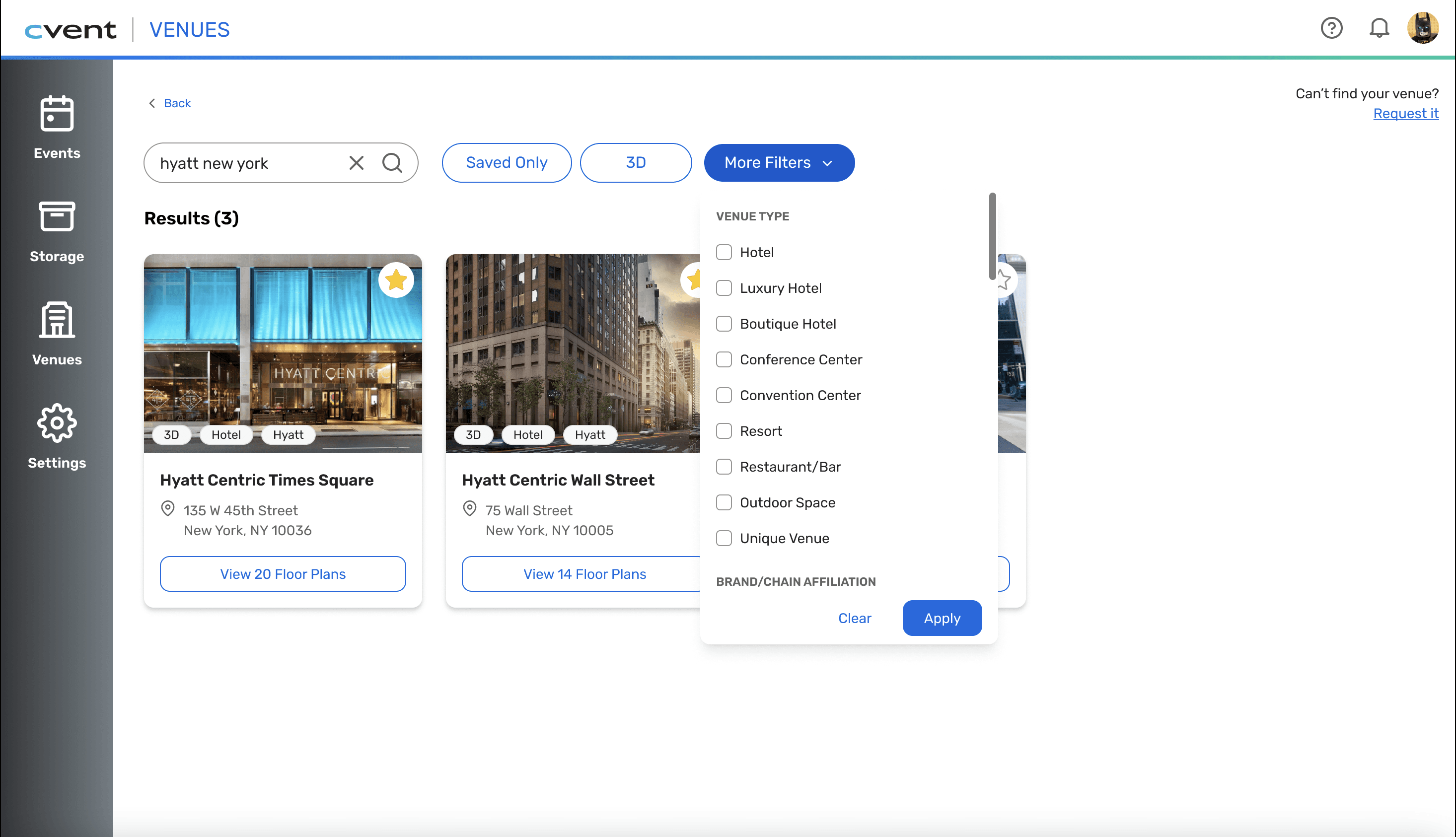
The original design spread filtering across many separate interactions.
I consolidated them into a single control so planners could narrow results in one step.
The goal: cut the number of decisions needed to narrow results.
Before

After
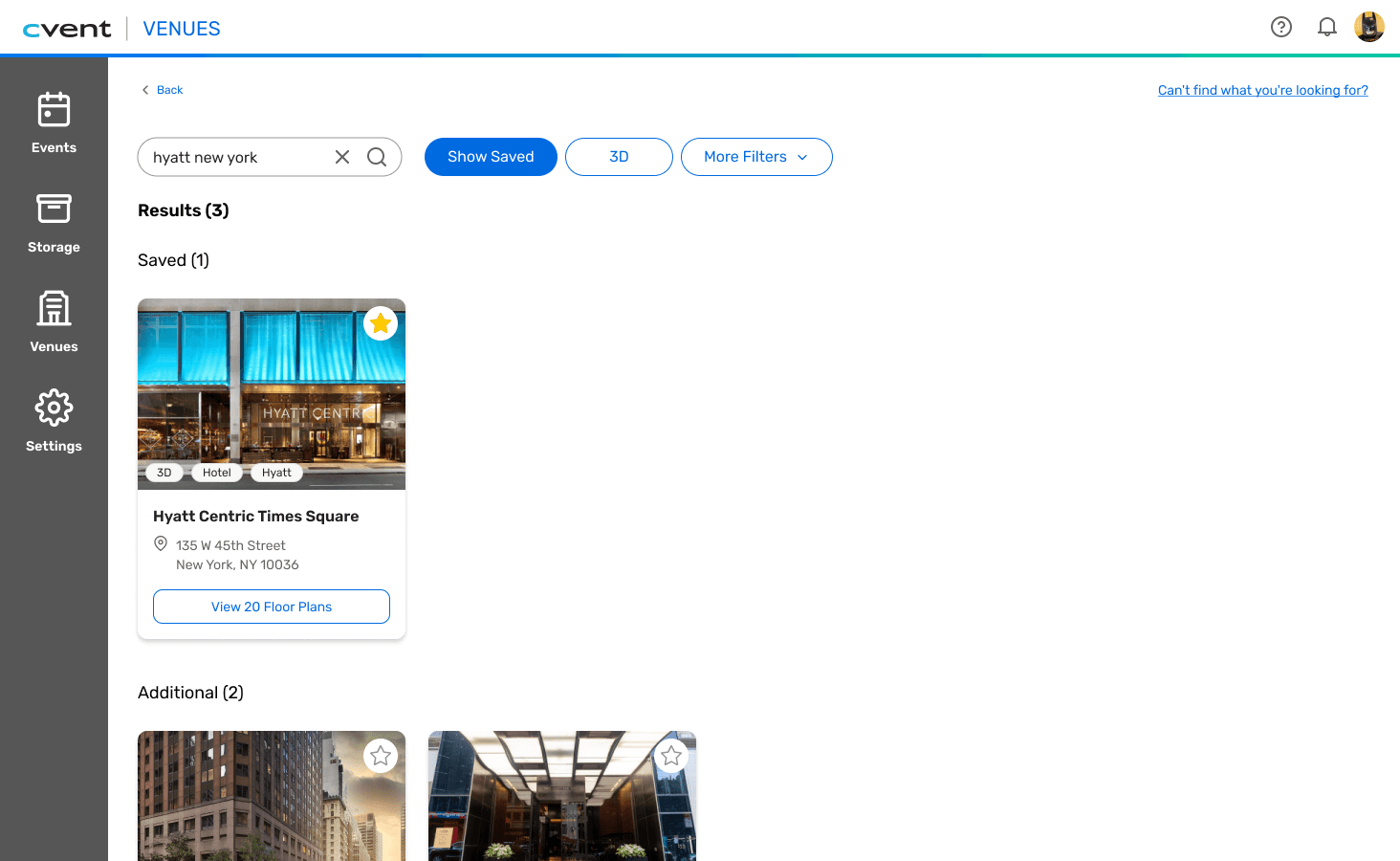
Usability testing showed participants overlooked part of my first design.
I reworked it into a single, more visible section that brought the next action to the front.
Each round of testing shortened the path to a confident decision.
Before
After
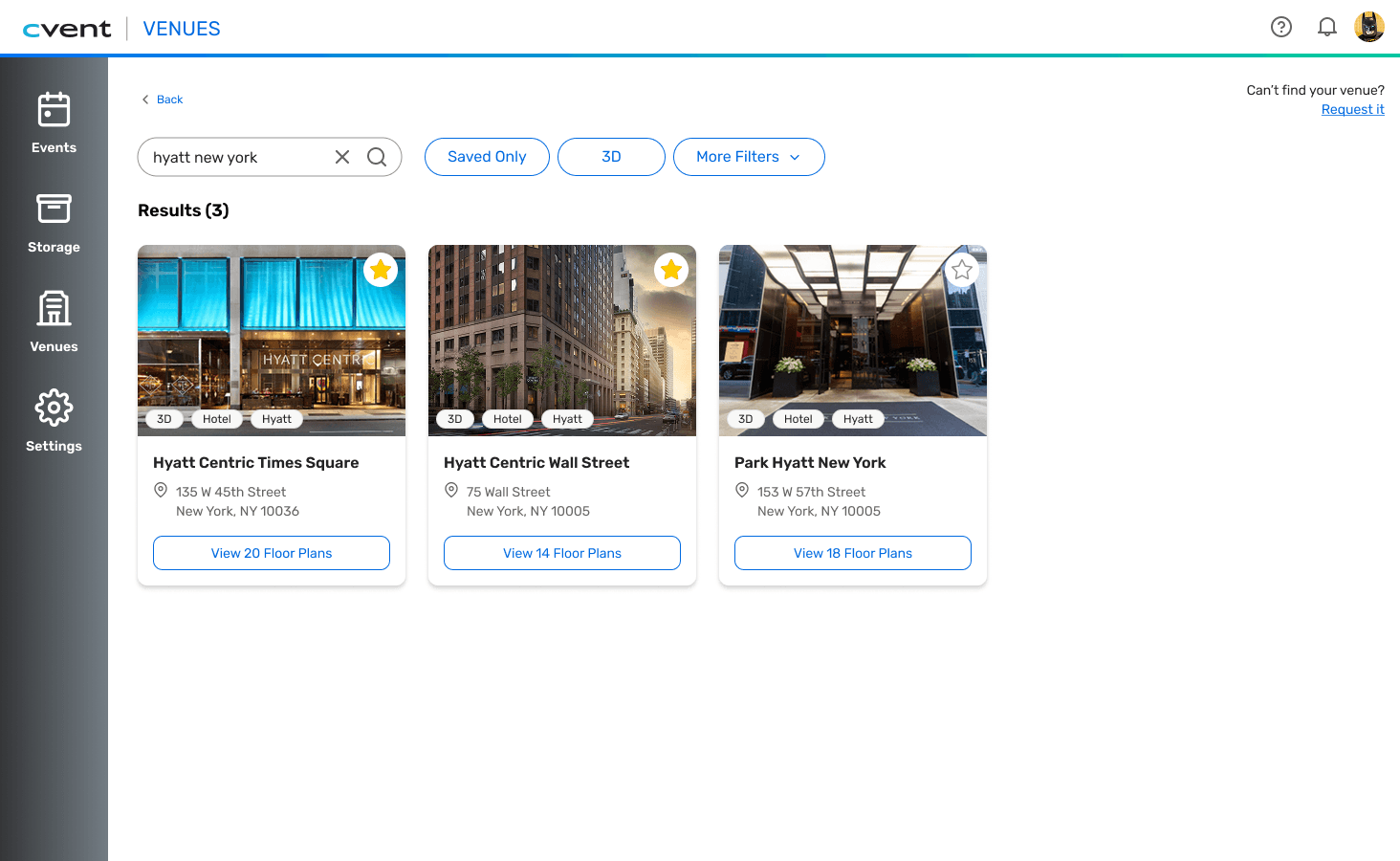
FINAL SOLUTION
From a list you read to a layout you scan.
NAVIGATION & STRUCTURE
From a flat list to a horizontally structured layout.
Clear hierarchy and grouping make it easier to scan results and understand the relationship between venues and floor plans.
SEARCH EFFICIENCY
From generic filtering to targeted results.
Expanded filters and updated ranking help surface more relevant venues based on planner input.
View
Create
ACTION CLARITY
From ambiguous interactions to clear next steps.
Stronger visual cues, larger imagery, and clearer CTAs make it easier to understand what can be selected and where to go next.
feedback & RESULTS
What the team said
"Great job using the design system so well in your prototype and design. Huge win."
"Great work tying your design decisions to outcomes for the users!"
PRINCIPAL PRODUCT DESIGNER @ CVENT
What it added up to
10
3
2
REFLECTION
The most valuable things I learned:
Slow down in the problem space
I entered the project expecting to improve the search experience, but the research showed that the bigger opportunity was reducing the effort required to interpret and navigate results.
Designing within a real product ecosystem
Working within Cvent's existing product and design system pushed me to think beyond individual screens and consider feasibility, consistency, and how each interaction fit into the broader experience.
If this shipped,
I'd measure…
search abandonment rate, time-to-venue-selection, and error/backtrack rate. Those are the clearest signals that the redesigned search flow is actually working — or isn't.

