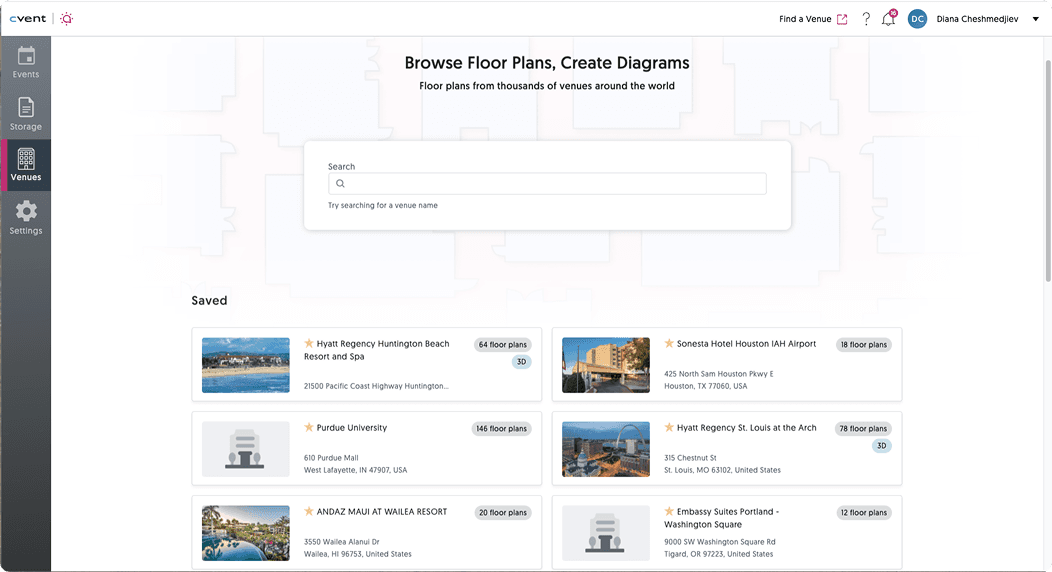
To understand where the current search experience of event planners, I looked at it from a few angles:
A heuristic evaluation to check alignment with usability best practices
Observations of 10 event planners using search (via Datadog)
A comparative audit of Airbnb and Cvent Supplier Network—two platforms with search experiences relevant to CEDs
At first glance, the problem seemed obvious: too many results. Search felt endless and overwhelming, with little indication of what mattered most.
But after watching real users struggle, and comparing patterns across platforms, it became clear that volume wasn’t the only issue. Confidence was. Planners didn’t need fewer options; they needed clearer signals that they were looking at the right ones.
DISCOVERY
Current search
Where planners were getting stuck
After identifying the key problem areas, I moved into the exploration phase. I worked closely with my team through design workshops, iterative sketching and wireframing in Figma, and user testing to develop and refine solutions.
Too many options, not enough clarity, and no easy way to know what mattered most
What wasn't working:
Navigation & Structure
Users struggled to understand the flow between search results, venues, and floor plans
Dense layouts and weak hierarchy made scanning difficult
Confusion often led to abandoned searches or unexpected redirects
Search Efficiency
Results frequently surfaced irrelevant venues
Filtering options were limited (e.g., only 3D views)
Venues lacked visual differentiation, forcing trial-and-error
Action Clarity
Buttons and actions felt ambiguous
Venue types weren’t clearly distinguished
Users hesitated because it wasn’t obvious what to do next
These insights shifted the focus from reducing results to designing for confidence—helping planners quickly understand where they are, what matters, and what action to take. This framing directly guided my ideation and design process that followed.
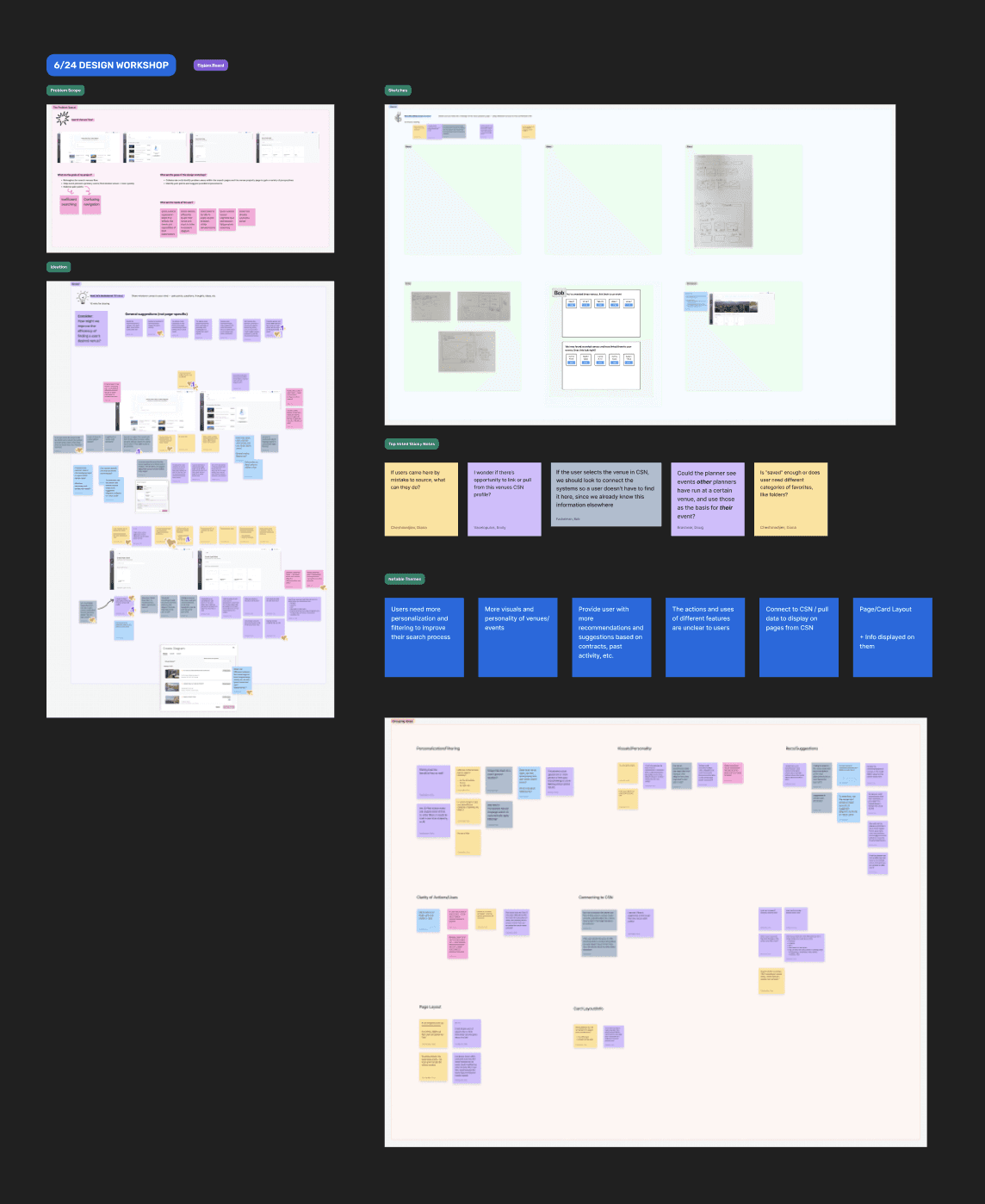
With a clear understanding of where search was breaking down, I kicked off the design phase with a collaborative design workshop with my team. The goal wasn’t to jump straight to solutions, but to explore how we could translate our key pain points into concrete design directions.
01 DESIGN WORKSHOP & IDEATION
Turning insights into ideas
Design directions that emerged
Make navigation feel lighter
Use empty space and clearer layout structure to help users orient themselves and move confidently between search results, venues, and floor plans.
Help venues stand out at a glance
Introduce stronger visual cues and imagery to make it easier to identify, compare, and remember venues.
Personalize the search experience
Expand filtering options and explore AI-powered recommendations to surface more relevant results faster.
Make actions obvious
Reduce ambiguity by clarifying buttons, actions, and system feedback so users always know what to do next.
Explore ecosystem connections
Investigate deeper integration with Cvent Supplier Network to create a more cohesive, end-to-end experience.
EXPLORATION
Designing for confidence
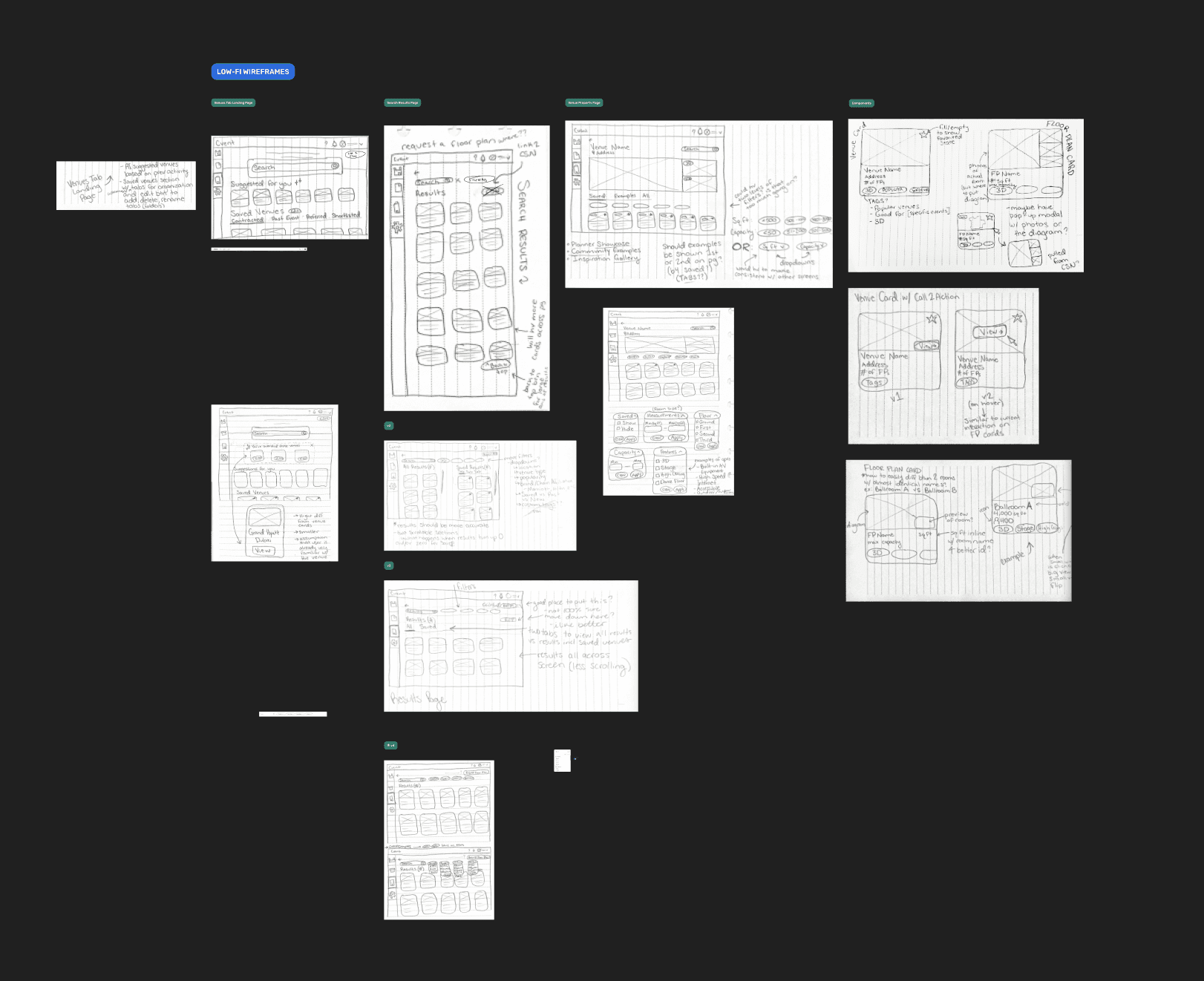
I began by sketching low-fidelity concepts to explore a wide range of approaches without getting attached too early. This stage focused on testing ideas quickly and understanding how different layouts and flows might support user confidence.
02 LOW FIDELITY SKETCHING
Starting broad: Sketching ideas and possibilities
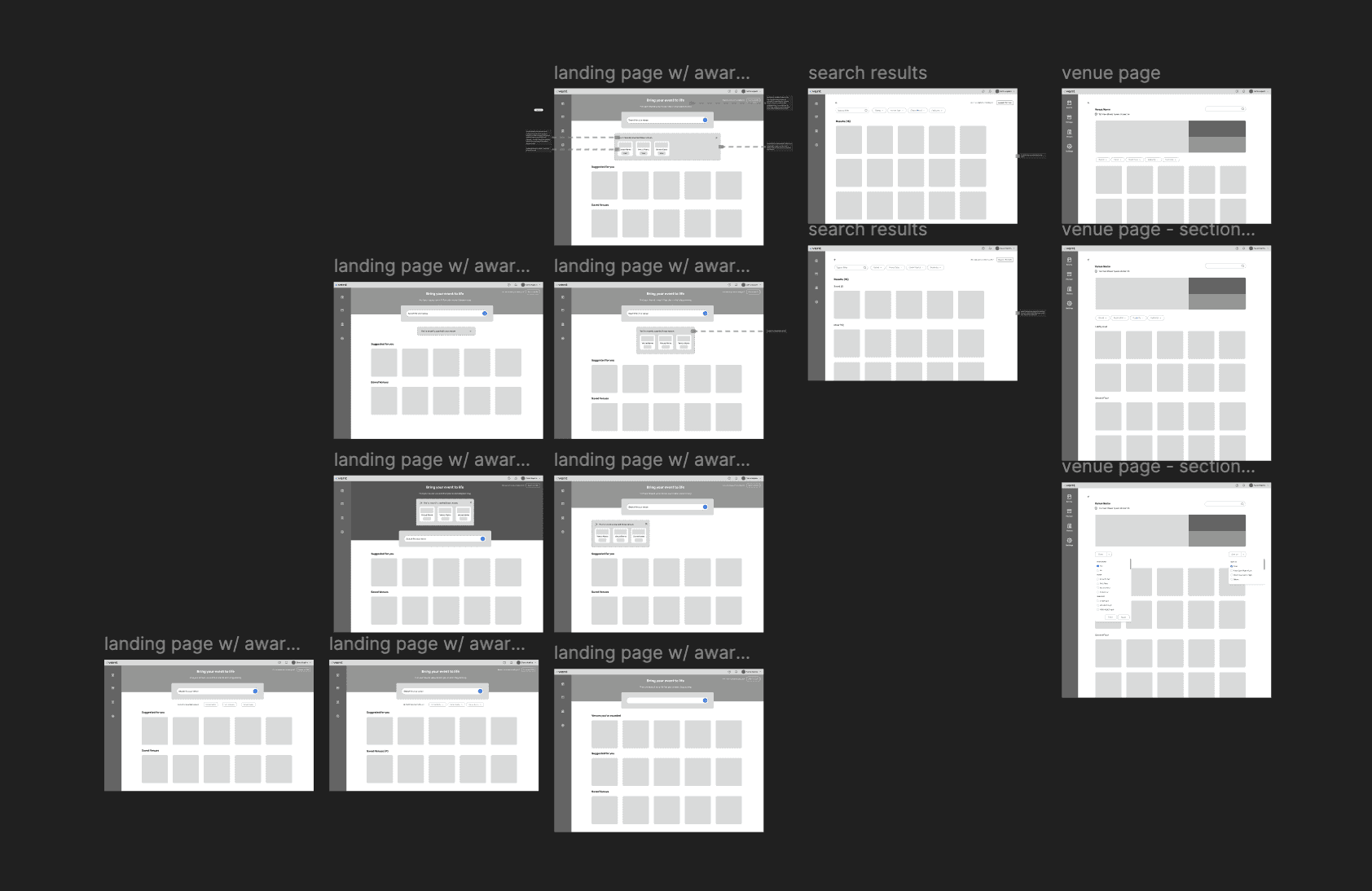
Next, I translated the strongest concepts into mid-fidelity wireframes in Figma, exploring tabs, filters, and card layouts. This allowed me to pressure-test structure, hierarchy, and navigation before adding visual polish.
03 MID FIDELITY WIREFRAMES
Giving structure to the experience
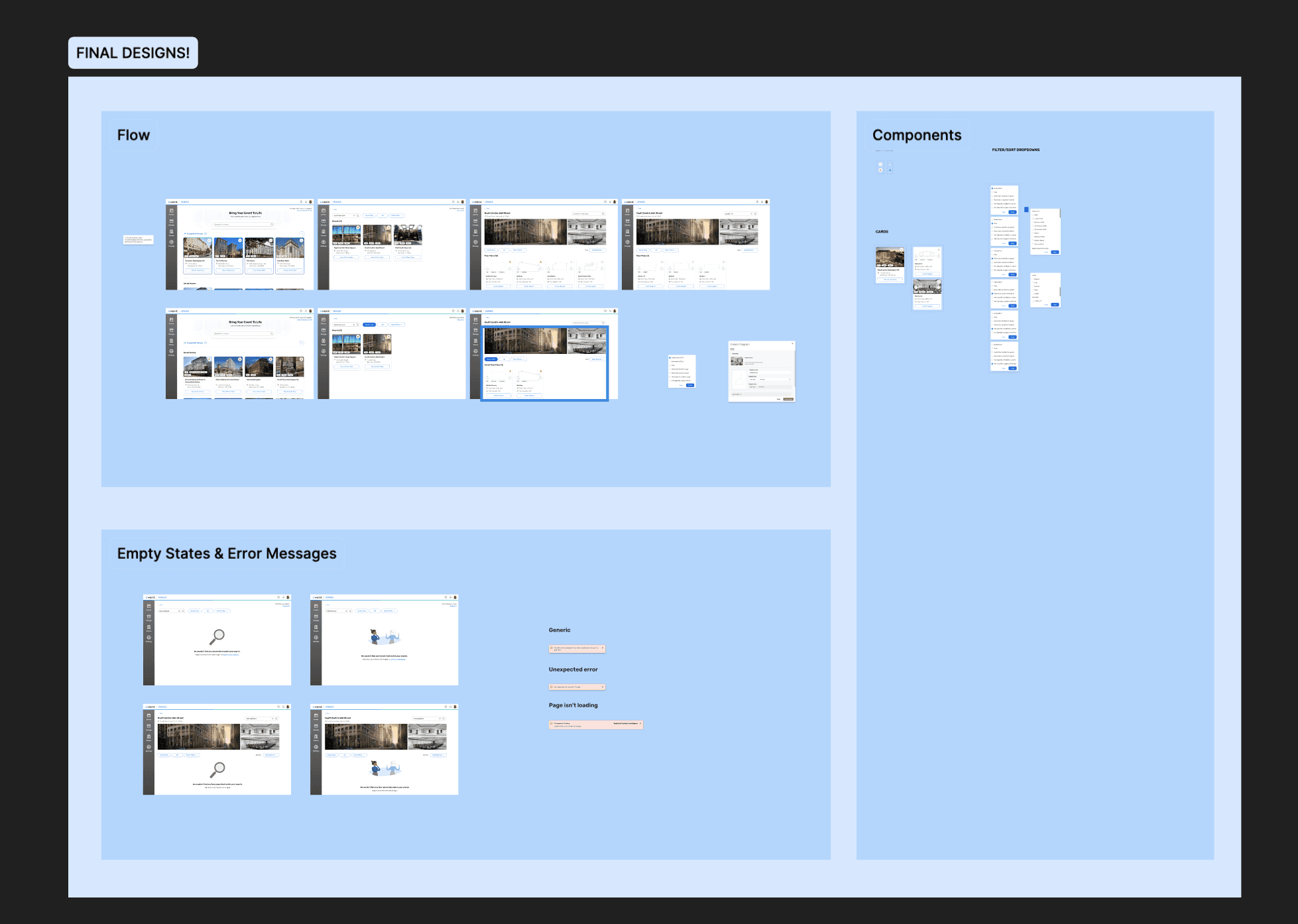
This first high-fidelity prototype focused on validating the overall structure of the search experience, including layout hierarchy, filtering approach, and how users navigated between venues and floor plans.
04 HIGH FIDELITY INTERACTIVE PROTOTYPE v1
Bringing the experience to life
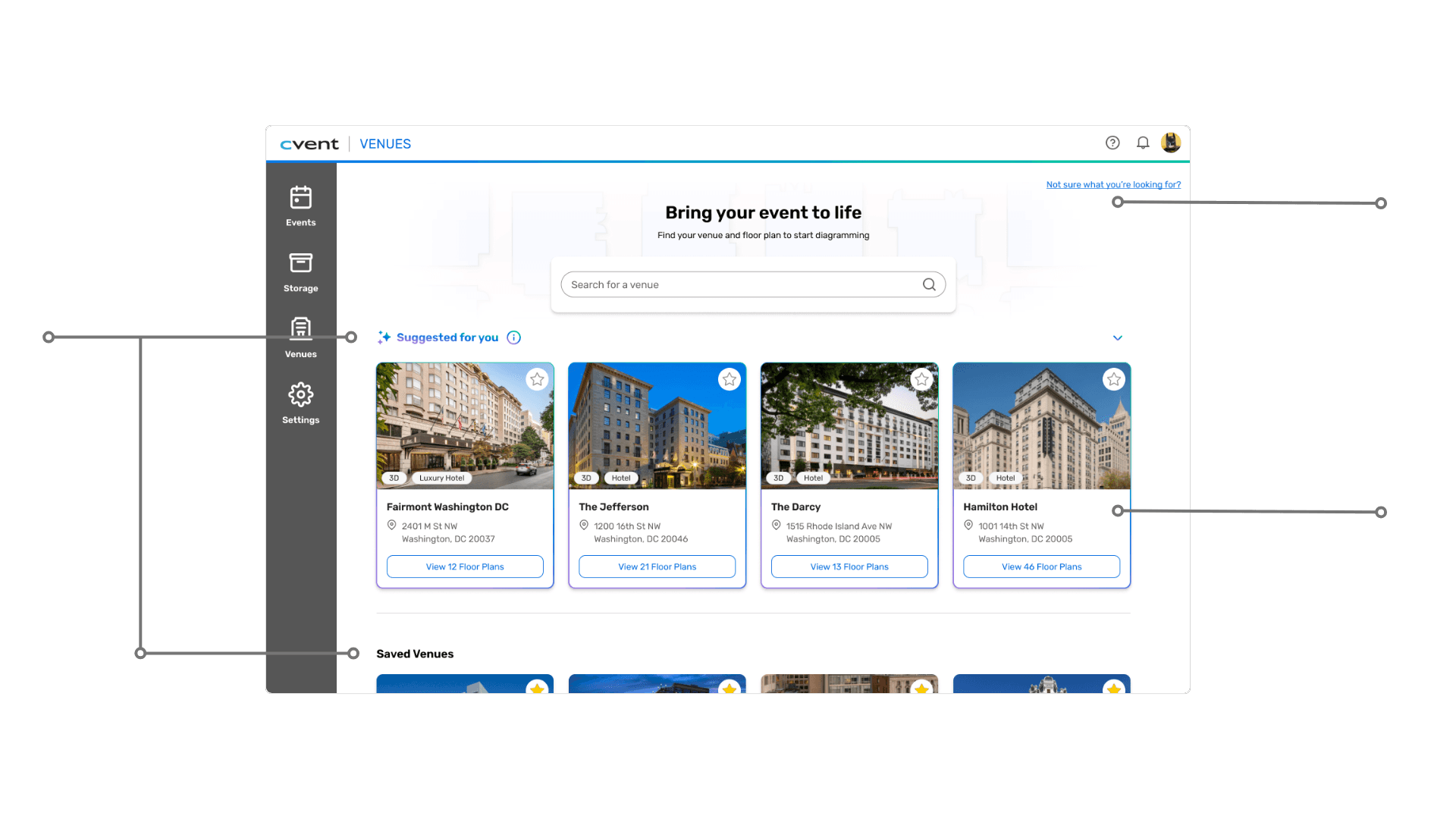
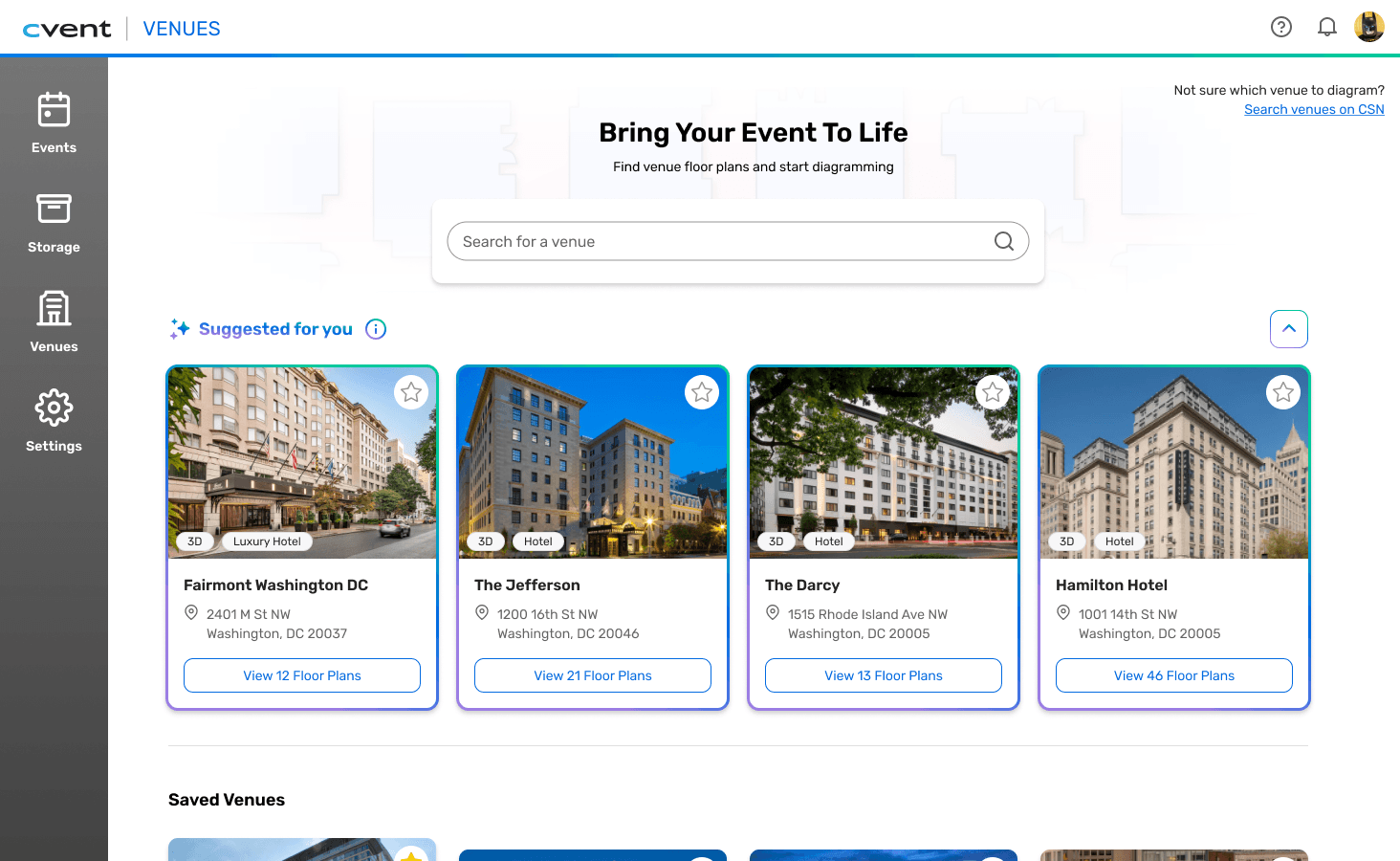
Curated and personalized quick access to highly relevant venues
Link to navigate user to aid user in separate, sourcing venue workflow
Updated UI using Cvent's design system for ecosystem consistency
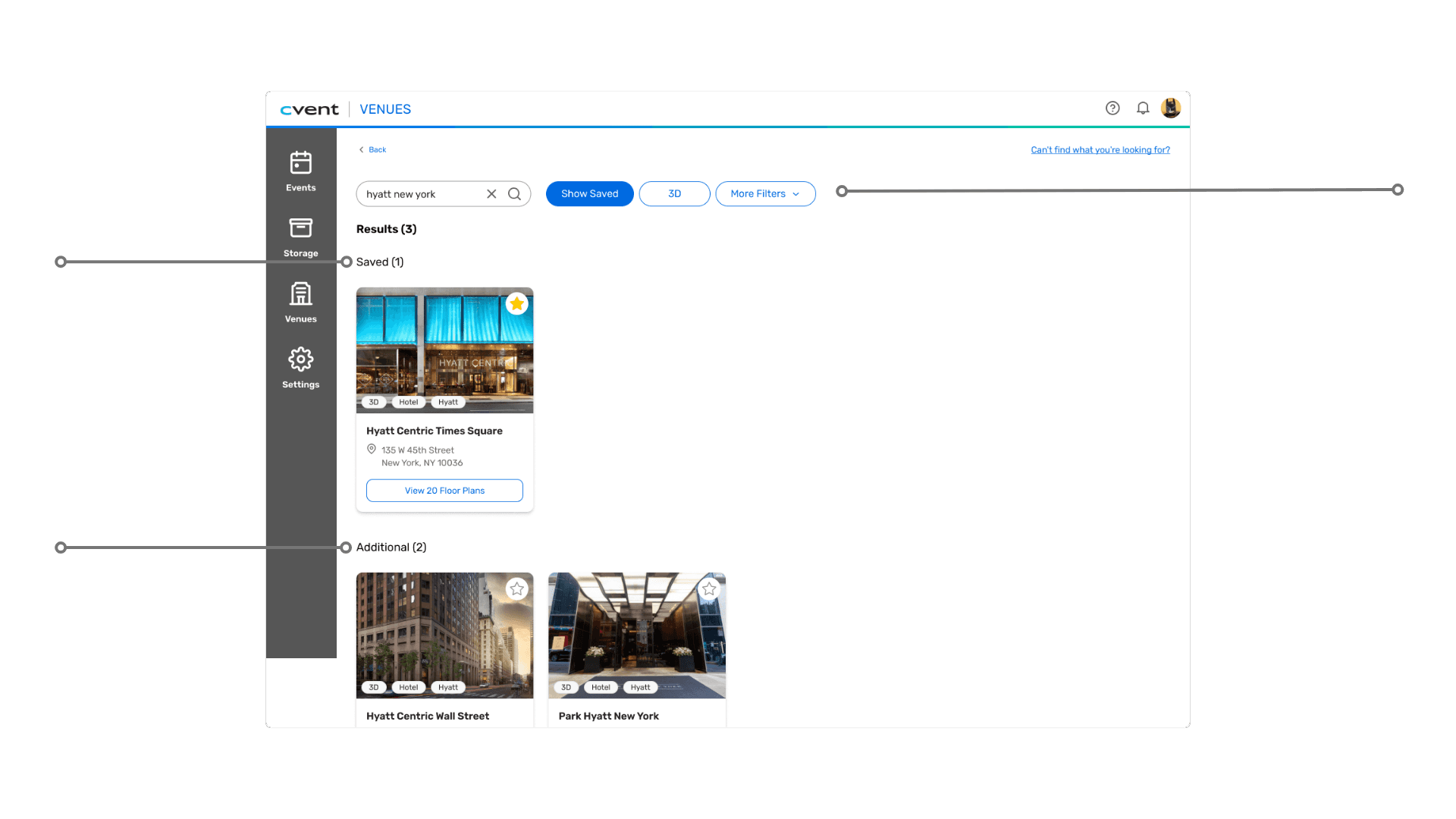
Toggleable/filtered saved venues section, which shows relevant search results that the user already has saved
‘Additional’ venues that match search results but are not saved
Filters for search refinement
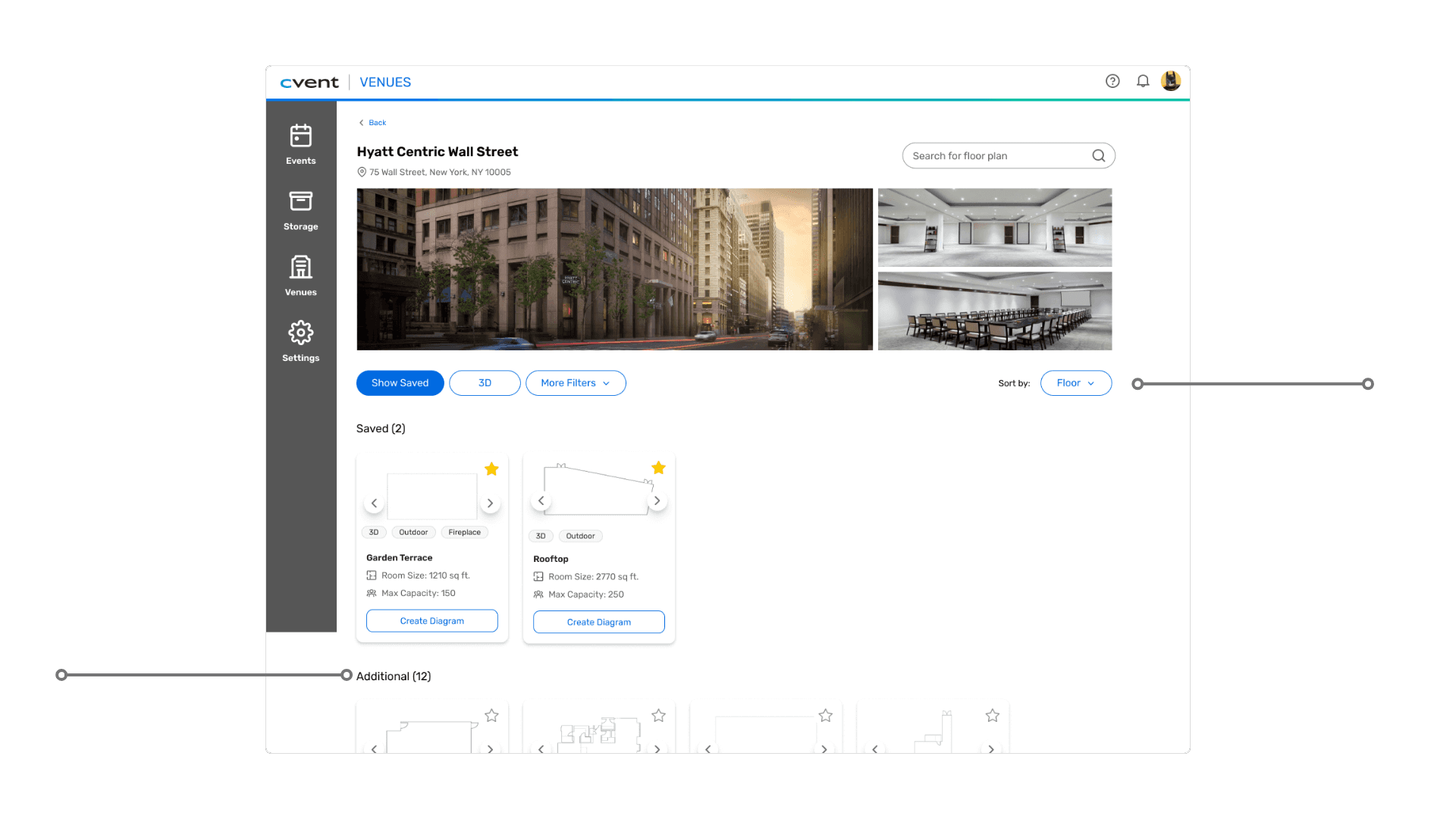
Separated, filterable sections for saved floor plans and unsaved/additional floor plans
Sort by feature for refined browsing
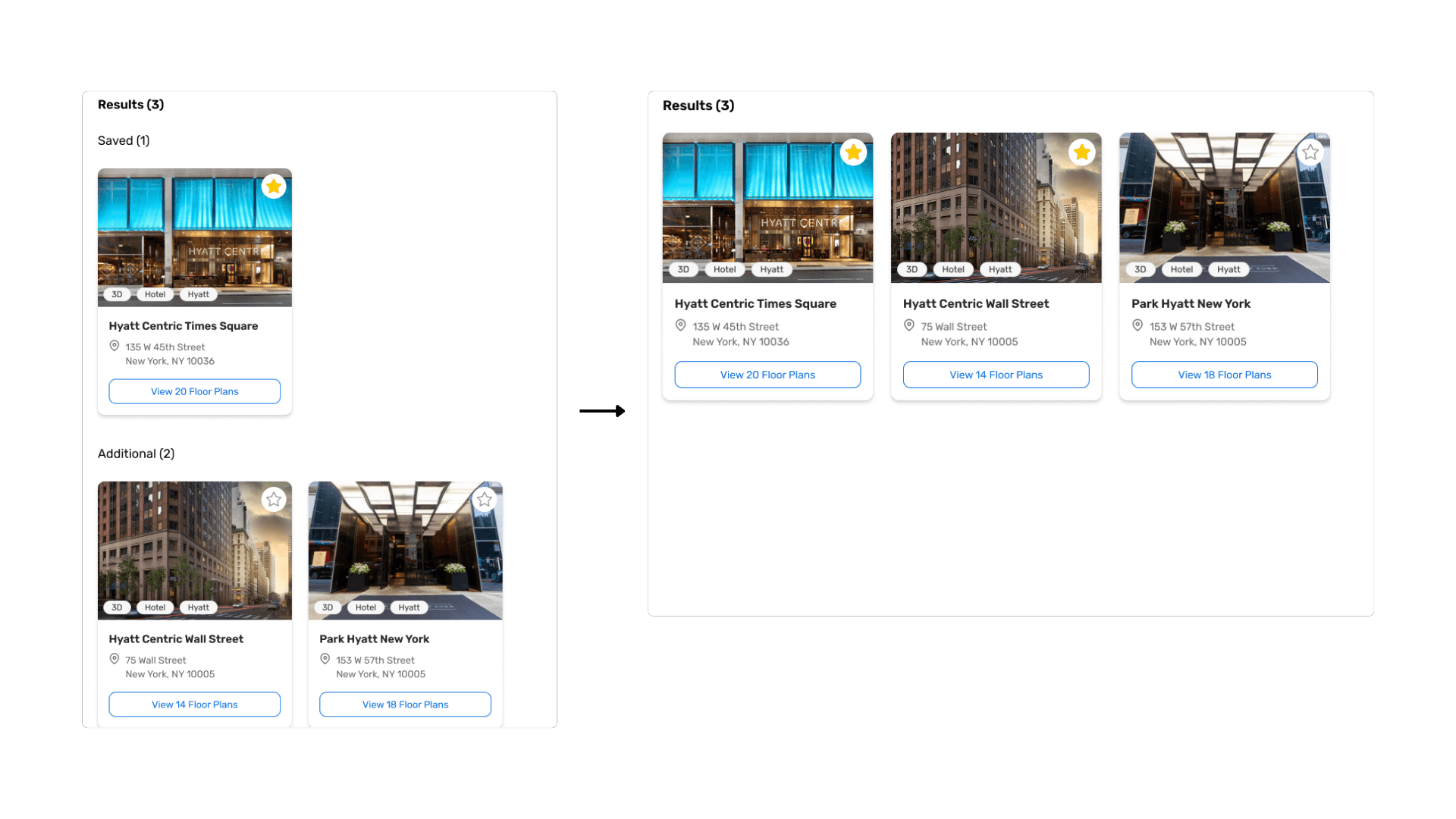
BEFORE
AFTER
After translating the designs into a high-fidelity, interactive prototype, I tested the experience with two users.
Rather than looking for perfection, the goal was to observe how users naturally navigate the experience and where expectations didn’t match the design.
Even in these early sessions, clear patterns emerged, and highlighted small design decisions that had an outsized impact on clarity and efficiency.
Scroll visibility
When venue cards were split into two labeled sections (“Saved” and “Additional/Other”), users didn’t realize there was more content below the fold. They stopped scrolling entirely, assuming they had reached the end of the results.
Change: Section Consolidation
I removed the split layout and consolidated results into a single scrollable list. Saved venues now appear first, preserving hierarchy while clearly signaling that more content exists below.
This iteration reinforced how small interaction details can significantly shape user confidence, and the insights directly informed the final iteration of the design, shaping how content is structured, how filters behave, and how users discover results.
05 USER TESTING
Observing users natural navigation of my design
What I observed & changed
Why this matters
After participating in several rounds of critiques and user testing—tweaking visuals & layout—I solidified my final design solution into a functional, interactive prototype in alignment with the main areas of friction: navigation & structure, search efficiency, and action clarity.
FINAL SOLUTION
The refined search experience
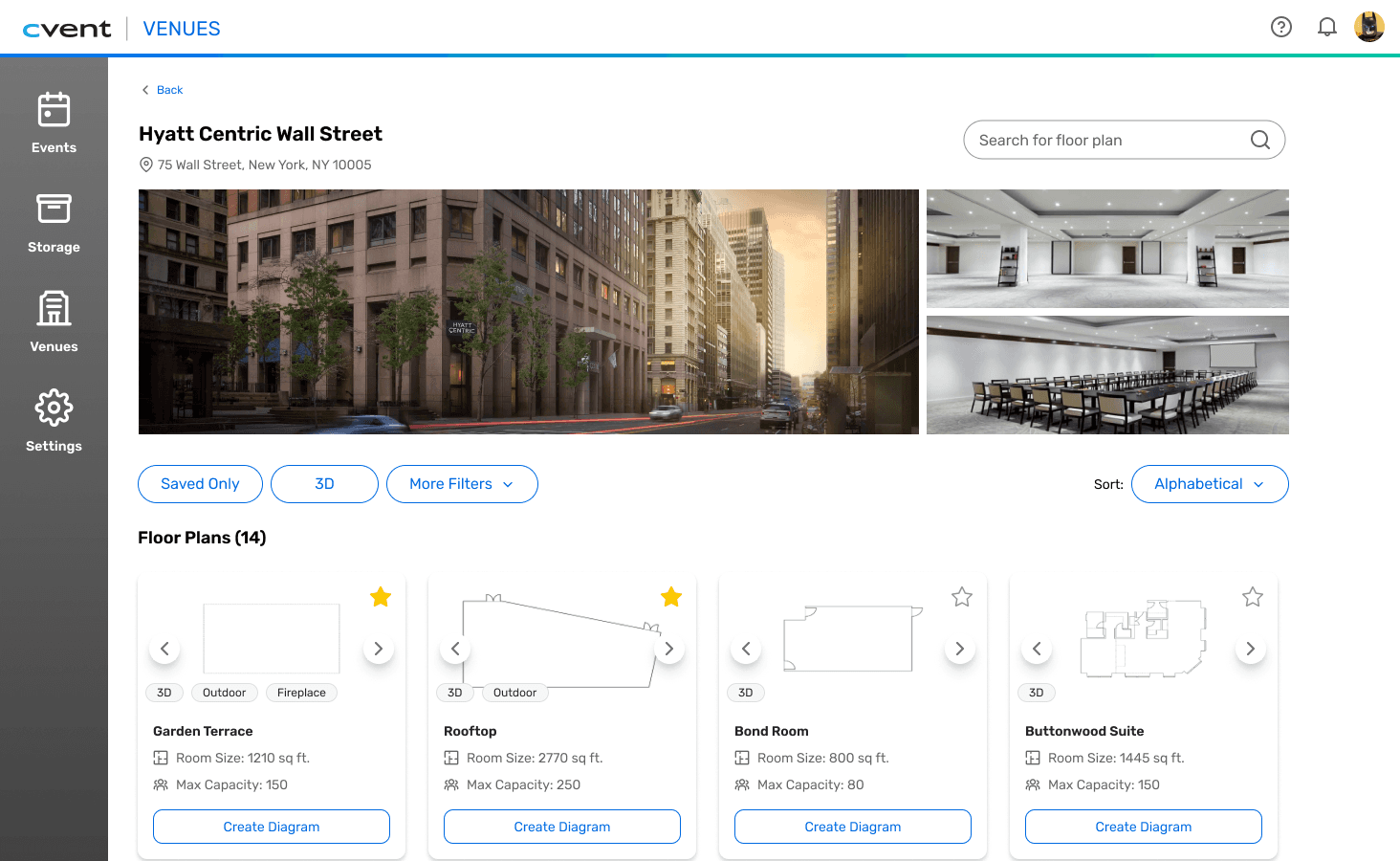
I redesigned card layouts and content to follow natural left-to-right, top-to-bottom reading patterns with clearer visual differentiation between venues.
01 NAVIGATION & STRUCTURE
Improved scan-ability, information hierarchy, and action clarity
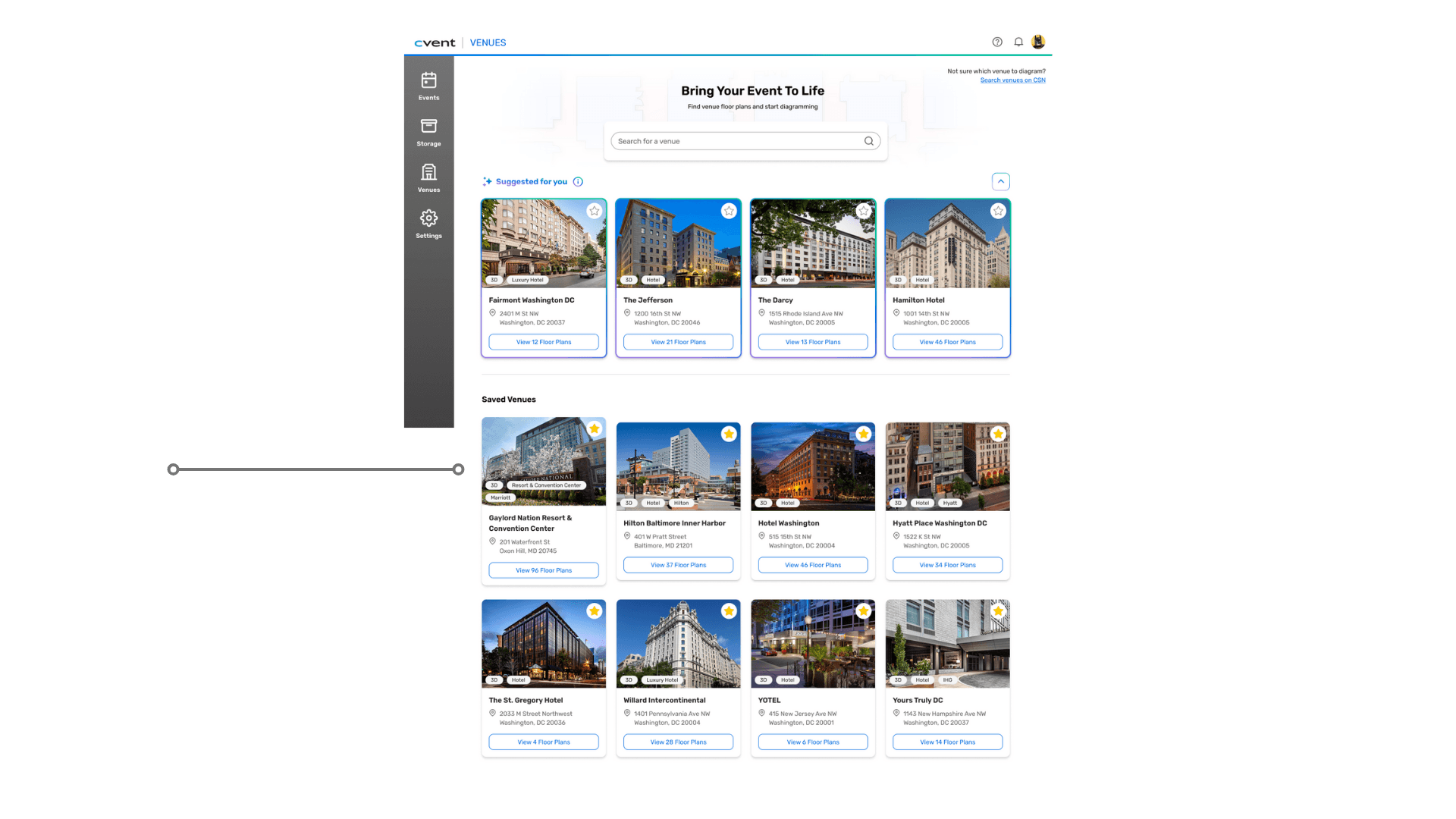
Sections are organized top-to-bottom, with content within sections organized left-to-right
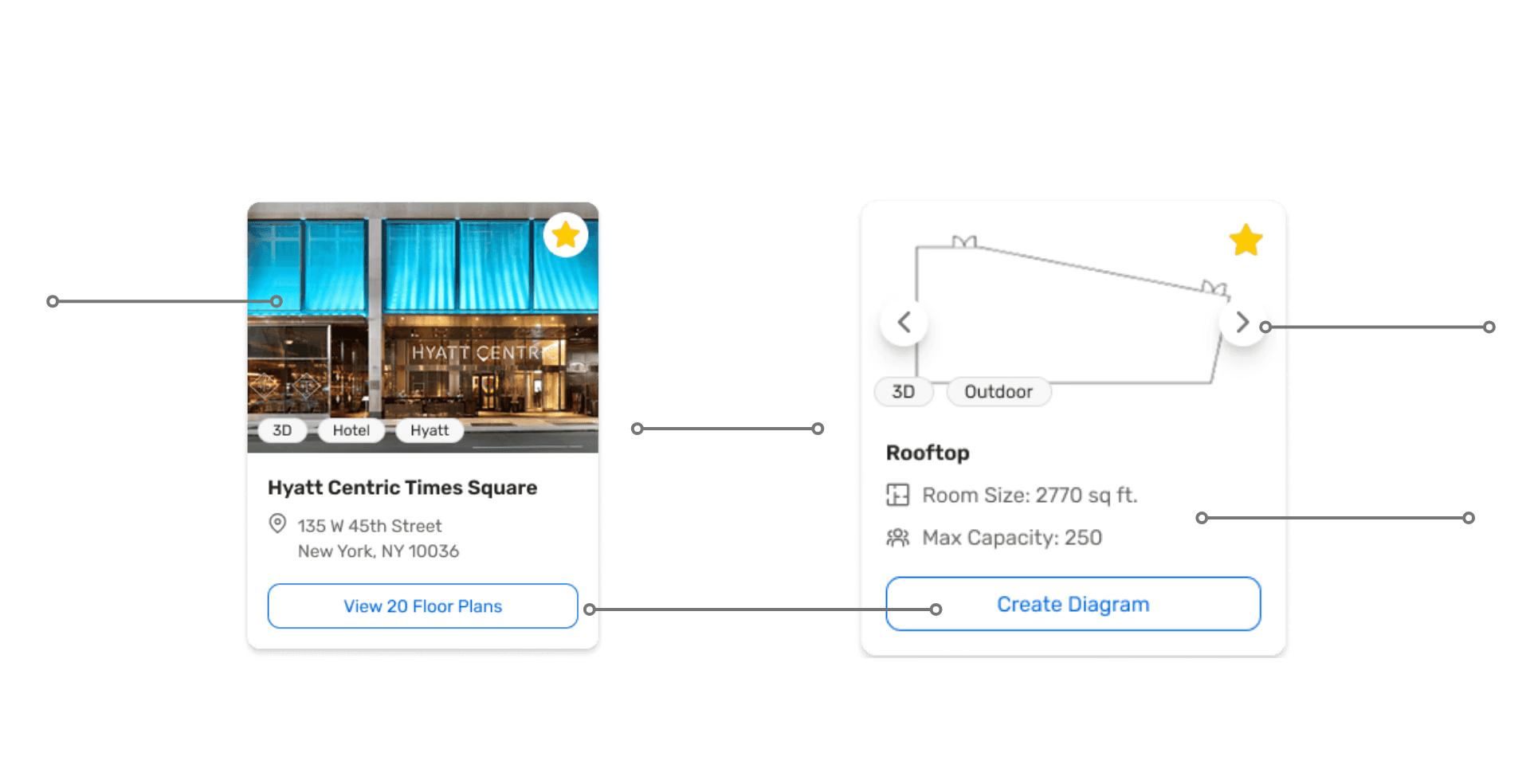
Clear call to action
Tags for quick identification and filter matches (venue brand, type, etc.)
Large image for visual venue association
Image carousel with floor plan and image of room for visual association
Relevant floor plan details
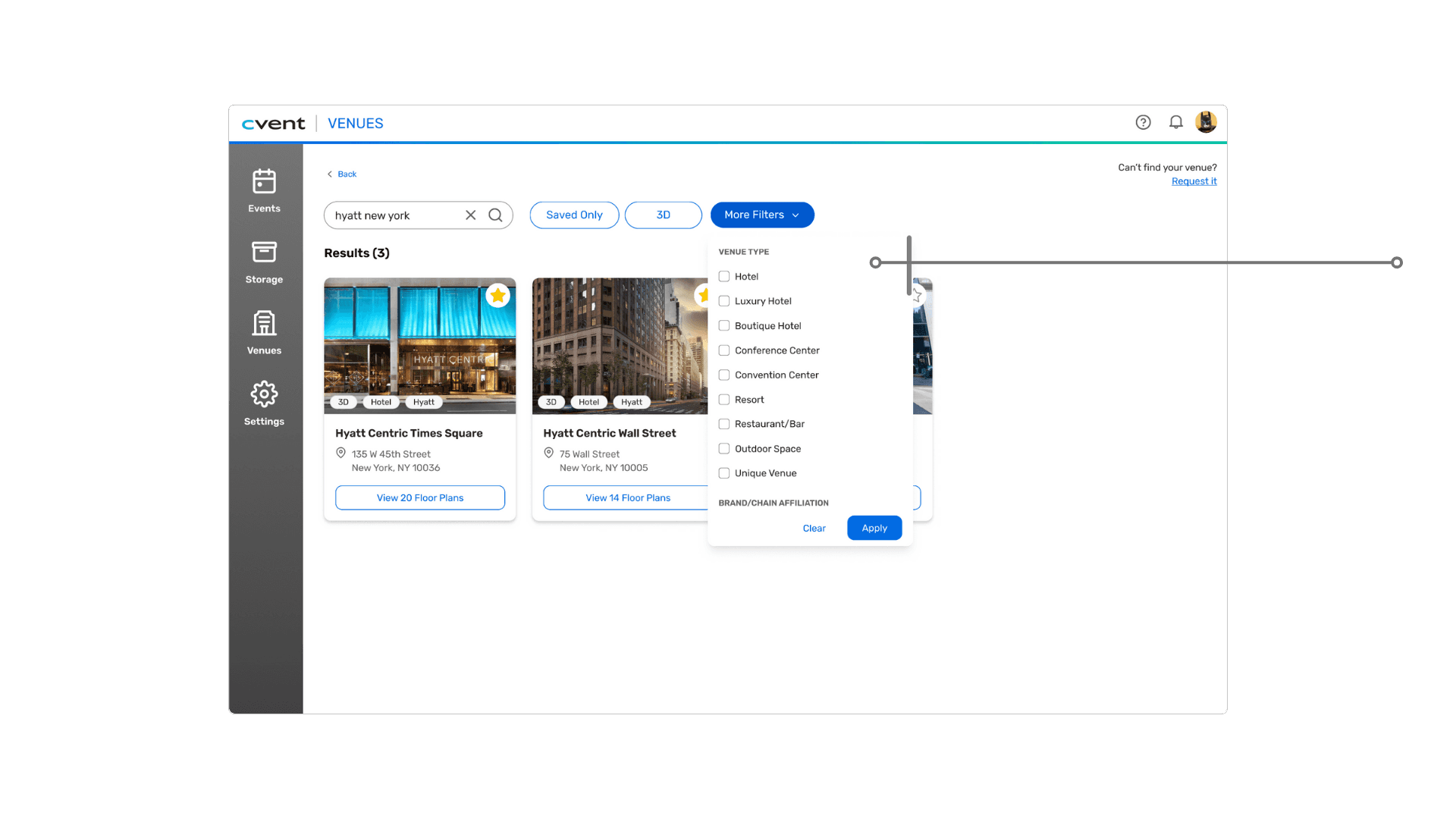
Multi-option filter dropdown with relevant filters useful for searching for a specific venue
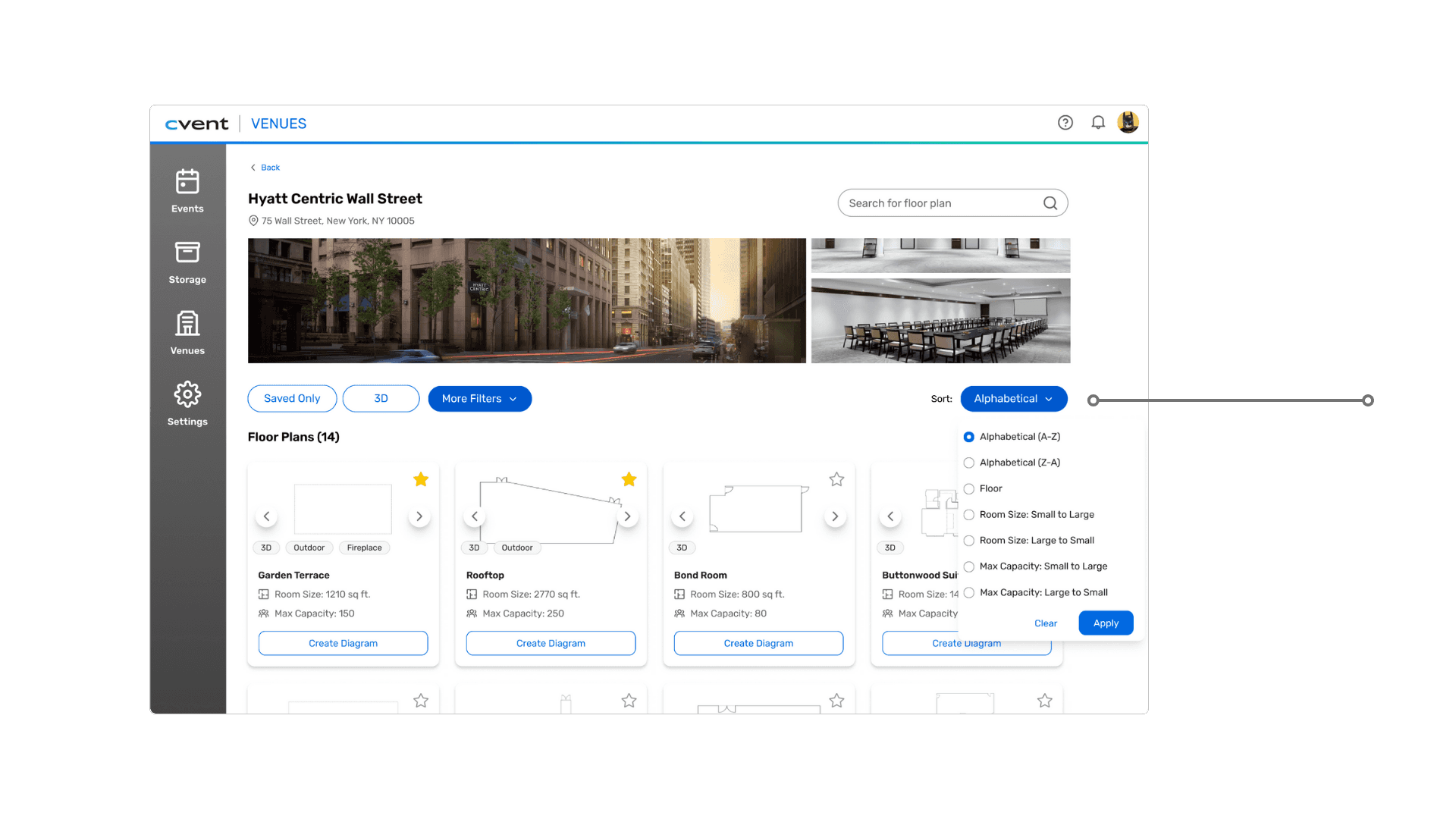
Sort options available on the venue page
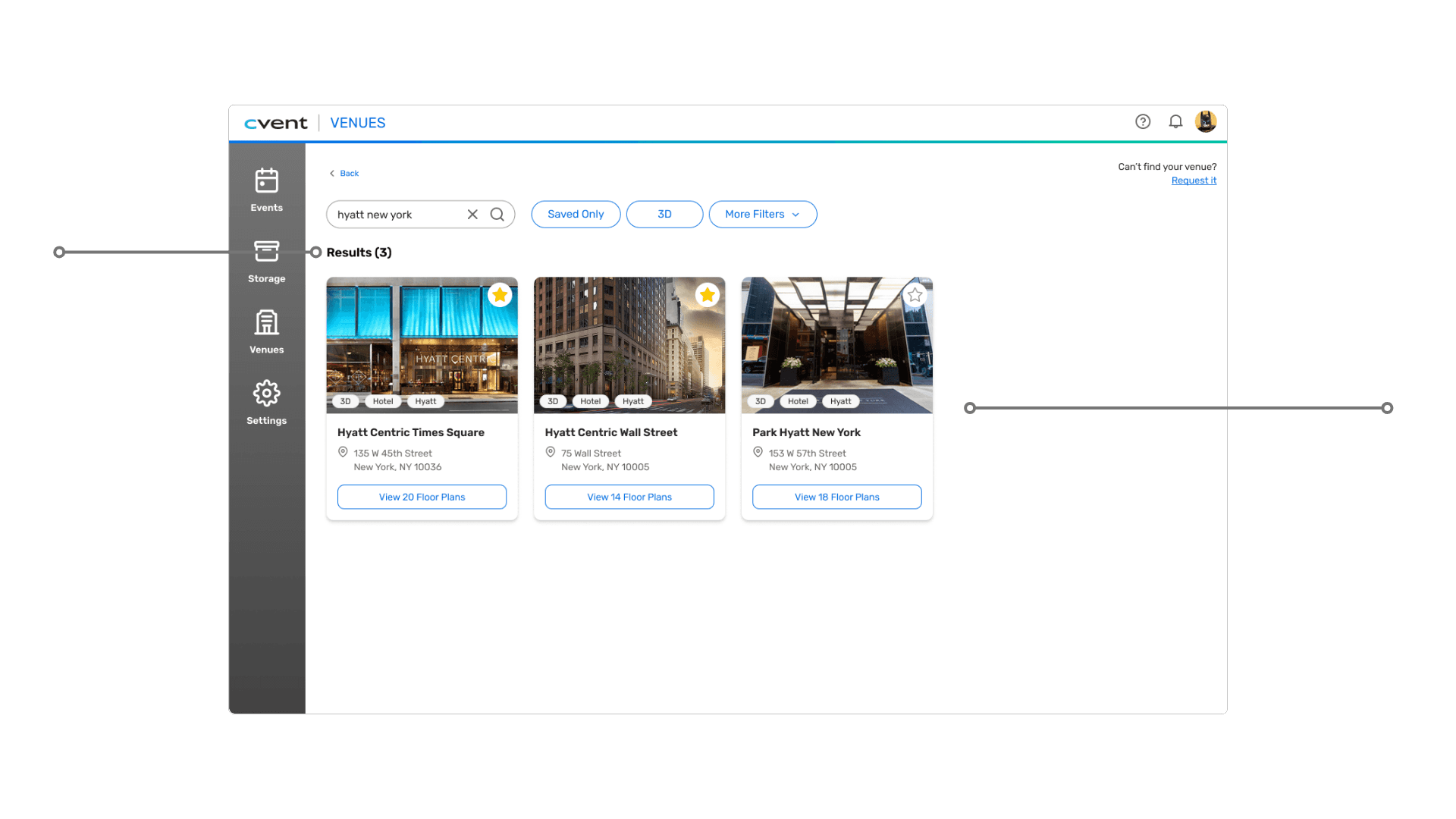
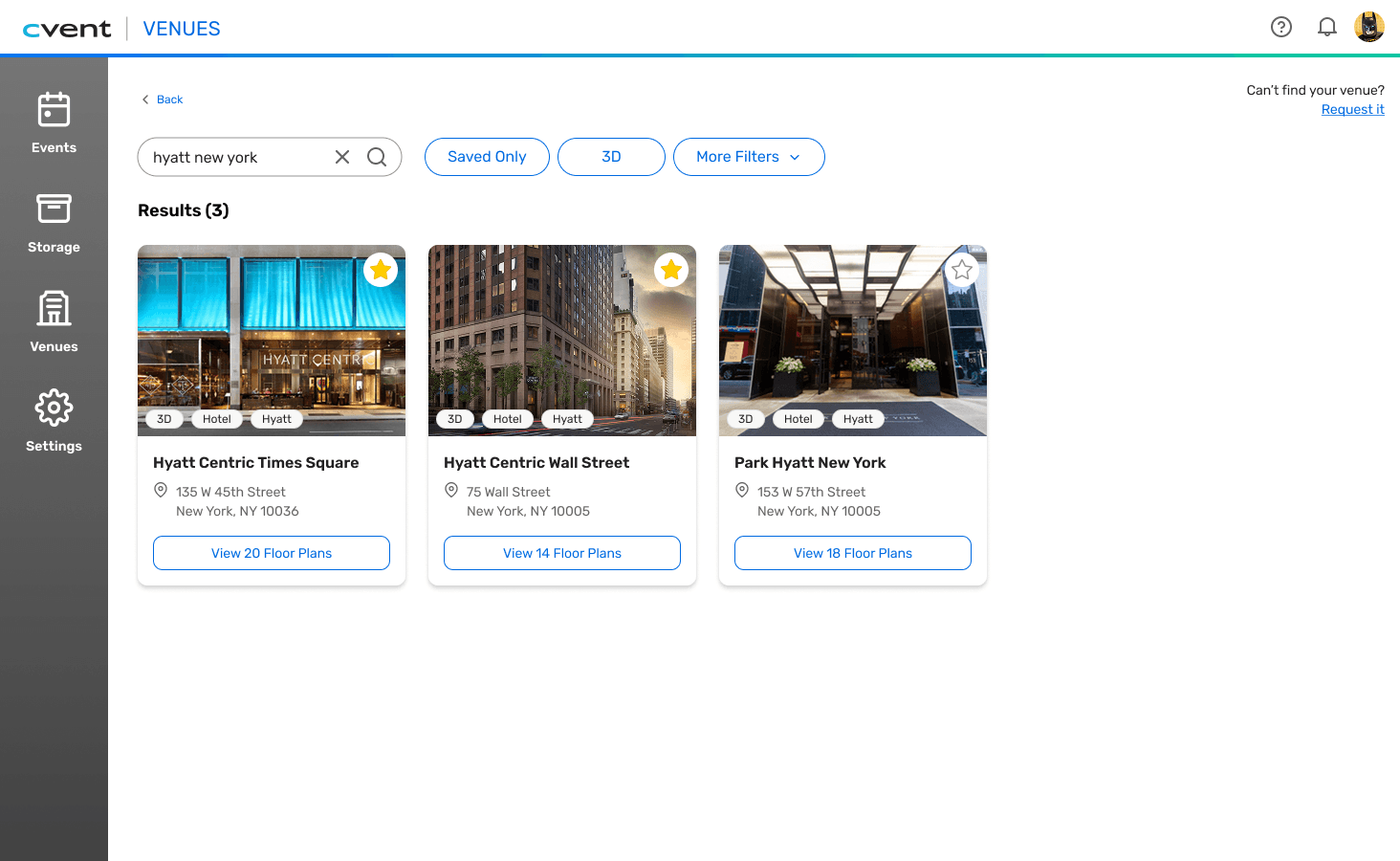
Results are limited to the most relevant to the search input
Number of results displayed is accurate and specific
I implemented toggleable filters for binary options (Saved, 3D) and consolidated multi-option filters into an efficient dropdown.
02 SEARCH EFFICIENCY
Enhanced filtering & sorting
REIMAGINING
Venue Search
PRODUCT DESIGN
B2B/SaaS
EVENTS INDUSTRY
I improved the search algorithm to show only the most relevant results (e.g., searching 'Hyatt New York' shows only Hyatt hotels, not all NYC venues).
03 SEARCH EFFICIENCY
Refined search results
This project challenged me to think beyond individual screens and design within a complex product ecosystem.
Designed with real user behavior in mind
I grounded decisions in heuristic evaluation, competitive analysis, and DataDog session insights to discover where planners struggled most.
Practiced true iteration
I moved from low-fi sketches to mid-fi wireframes, using feedback and testing to refine flows rather than designing in an echo chamber.
Collaborated across disciplines
I worked with my team of product designers, content designers, and my mentors to validate ideas and strengthen clarity and usability.
Designed within an established system
I learned how to work with Cvent’s design system, where I had to know when to lean on existing patterns and when to adapt them to fit user needs while maintaining system consistency.
CLOSING REFLECTIONS
What I'm proud of: How I grew as a designer!
This project reinforced why I design: to reduce complexity, build trust, and help people feel confident navigating the tools necessary to support their needs.
Why ALL of this matters
curious to hear more? email me @ sierra@designdrift.com :)
ROLE
Product Design Intern @ Cvent
TIMELINE
10 weeks
TOOLS
Figma, Figjam, Cvent's Design System & Documentation, Glean
SKILLS
Idea generation, Wireframing, Prototyping, Design Workshop, Iteration
NAVIGATE TO ↗
TL;DR
Problem: Event planners need an efficient search function to support their workflow
Cvent Event Diagramming (CED) is a collaborative event diagramming software that allows planners to design custom venue layouts, streamlining planning and elevating attendee experience.
For event planners, searching and selecting specific venues they want to diagram with is an important step in their diagramming and planning workflow. An overwhelming and unintuitive search can cause confusion, significantly delaying their work.
As part of my internship at Cvent, I was tasked with 'reimagining' the venue search flow for event planners.
My goals + solutions
Improve efficiency of searching, identifying, and selecting venues and floor plans for event planners by implementing filter and sort features
Reduce cognitive load and prevent frustration and/or abandonment of the workflow by improving information hierarchy to follow typical scanning patterns, reducing overwhelming search results, and encouraging quicker visual differentiation between options